

I tested Nectar AI because its interface and roleplay scenarios feel genuinely different from most AI girlfriend apps. I had been in direct contact with the Nectar team, and they gave me free credits so I could run a proper test. Honestly, I thought that was a very nice gesture.
For this test, I used the account Nectar AI made available to me. I focused on what I personally explored: the Fantasy section, the Taken: Bachelorette Edition group chat, AI model selection, Brooke Calloway, voice messages, and the companion creator.

My Nectar AI review in 30 seconds
| Area | My take |
|---|---|
| Best for | Roleplay, prebuilt fantasies, group stories, and users who enjoy choosing their AI model |
| What I liked most | The Fantasy scenarios. I quickly got pulled into the Bachelorette Party story |
| Creator | Realistic or anime characters, a standard flow or photo reference, plus personality and voice settings |
| Voice | Functional, but slightly robotic during my test and missing background ambience |
| NSFW | Available, while explicit profile photos stay lower in the gallery instead of appearing immediately |
| Quick verdict | An original, feature-rich platform that makes the most sense if roleplay matters more than absolute simplicity |
Transparency: Nectar AI gave me credits for this test without stating any editorial condition. This review may also contain affiliate links where available. My opinions come from my test and screenshots; pricing, limits, and privacy details come from official pages checked on August 21, 2026.
An interface that does not look like every other AI girlfriend app
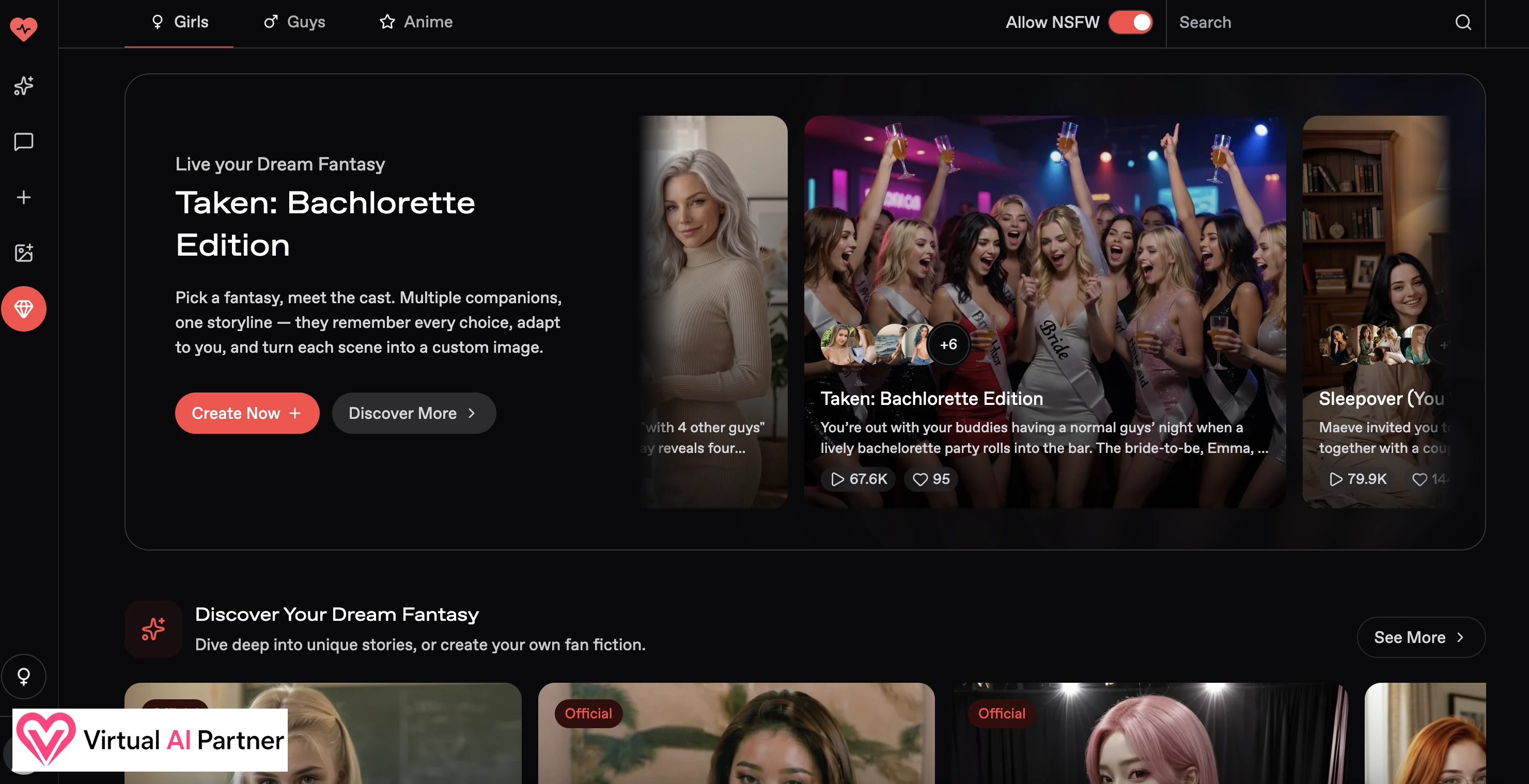
My first impression was positive because Nectar does not simply copy the familiar character grid. The interface is dark and fairly dense, with separate areas for discovery, chats, companion creation, image generation, and Fantasy roleplays.
It takes a few minutes to understand everything. Still, I find it more interesting than a plain directory of avatars. The product immediately feels designed around stories rather than one-line conversations.
Fantasy scenarios are Nectar AI’s strongest feature
This was easily my favorite part of the test. Instead of inventing a situation from scratch, I can enter a prepared story with its own setting, cast, and premise. I found romantic, realistic, multiple-character, and adult scenarios.
I chose Taken: Bachelorette Edition. A normal night out collides with a lively bachelorette party, and several women start competing for attention. Each character can intervene with her own attitude, which makes the scene feel more like a group roleplay than a chatbot changing names.
I got into it surprisingly quickly. The scenario provides direction without forcing me through a rigid script, and that balance is difficult to find on more conventional platforms.
A strong filter system and good anime models
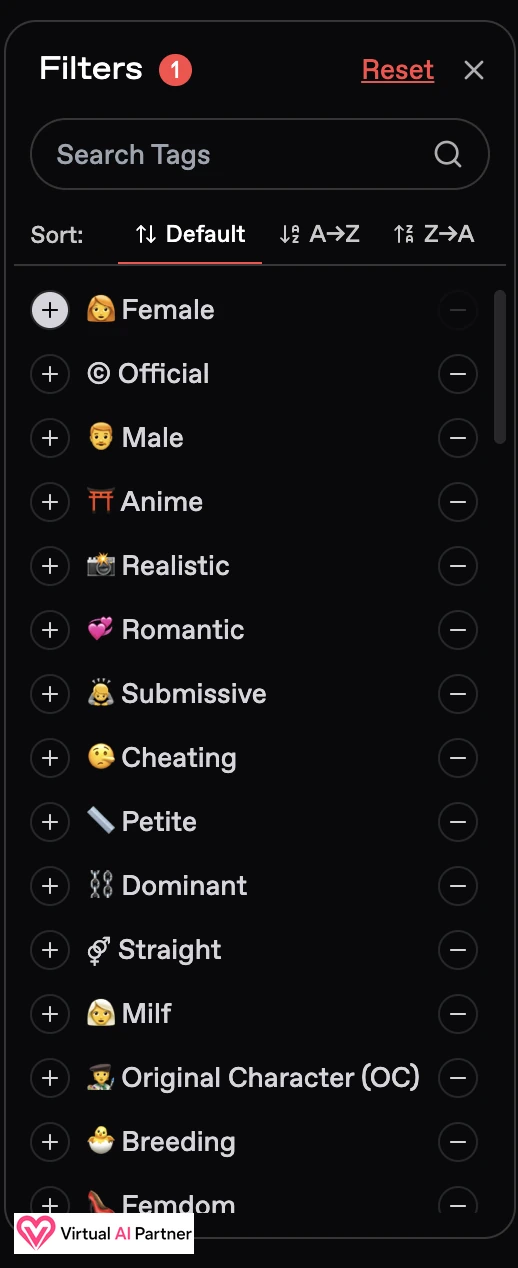
The filters are also well designed. I can browse women or men, realistic or anime characters, then narrow the tone with tags such as romantic, submissive, dominant, multiple, RPG, or BDSM.
I especially liked the anime selection. The models I saw looked polished rather than like a secondary option added at the last minute.
Chat quality and AI model selection
The Bachelorette Party chat immediately behaved like a scene. Replies mixed dialogue with actions, atmosphere, and reactions from several characters. I found that more immersive than a stream of short messages.
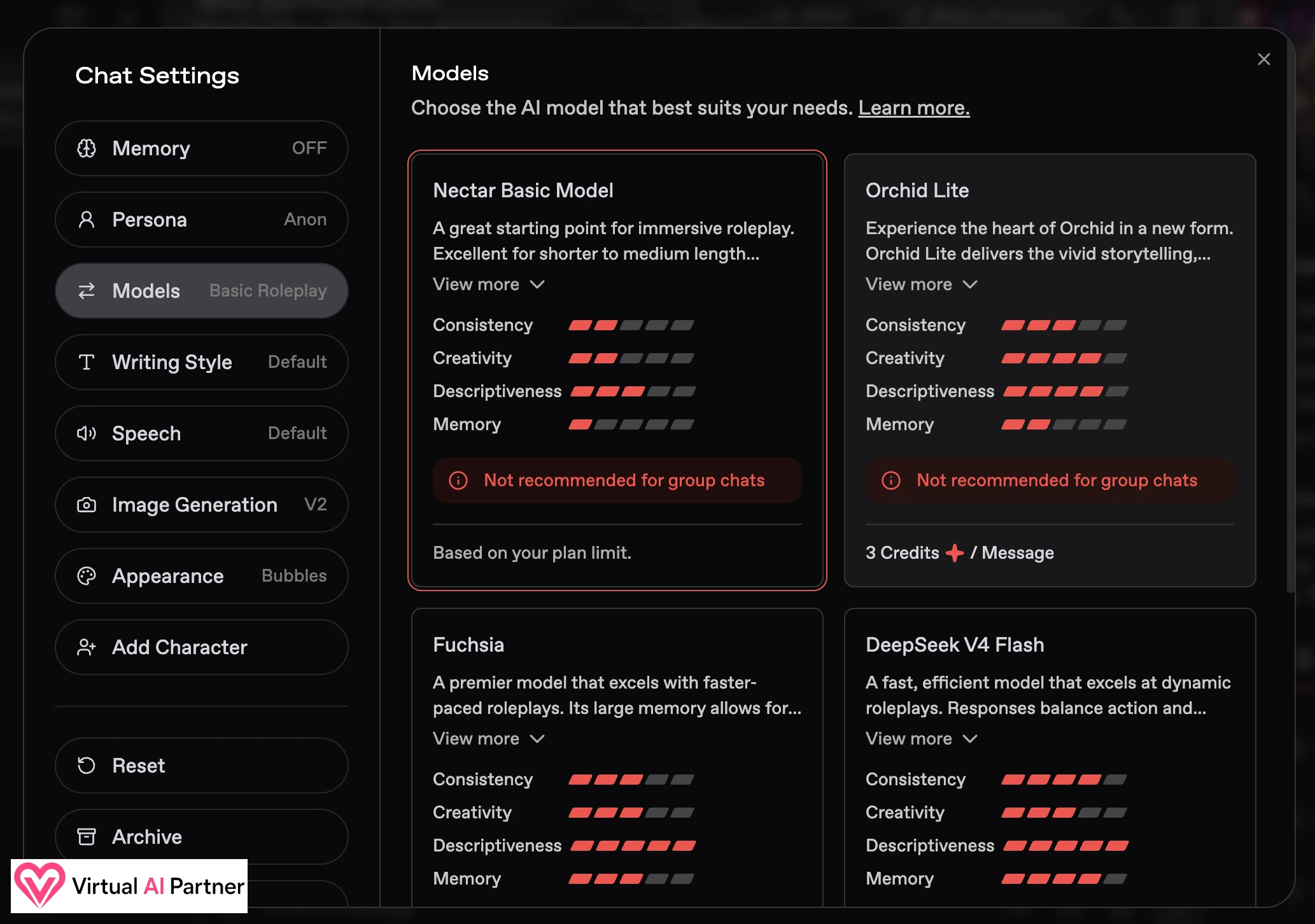
Nectar also lets me choose which model answers. During my test, I saw Nectar Basic Model, Orchid Lite, Fuchsia, and DeepSeek V4 Flash. Each option displayed ratings for consistency, creativity, descriptiveness, and memory, along with any credit cost.
I think this is very cool if you are a bit of a geek. I can choose a more descriptive model for a long story or a faster one for casual chat. It can also make the product feel more complicated when I simply want to relax and start talking.
Voice works, but it needs more atmosphere
I played the voices of the women in the Bachelorette Party. The feature worked, but the delivery sounded slightly robotic to me. The scene also had no bar noise, music, or other background ambience.
That is a missed opportunity because a group scenario is perfect for sound design. For now, I preferred reading the replies: the written roleplay carried more personality than the audio.
My suggestion: start with an official Fantasy and the basic model, then experiment with paid models only when you know what kind of writing you prefer.
Brooke Calloway and the way Nectar handles NSFW photos
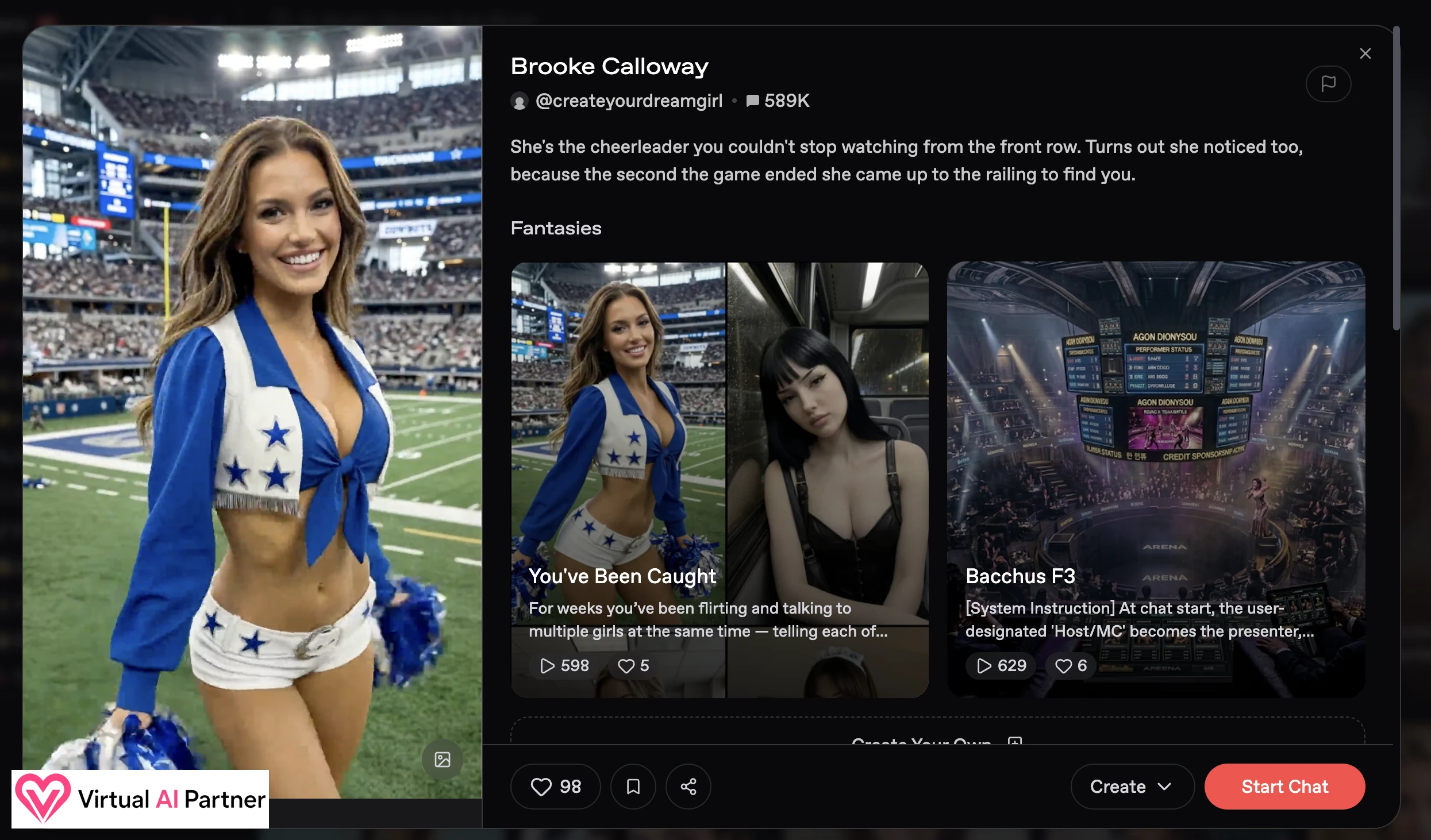
I also opened a direct chat with Brooke Calloway, a cheerleader character. Her page combines an introduction, several Fantasy scenarios, and a photo gallery, so I could understand the character before starting the conversation.
Explicit photos did not appear immediately in the main view. I had to scroll through the gallery to reach them. I like this choice: adult content stays accessible, but it is less likely to appear at an awkward moment.
Creating my own AI companion
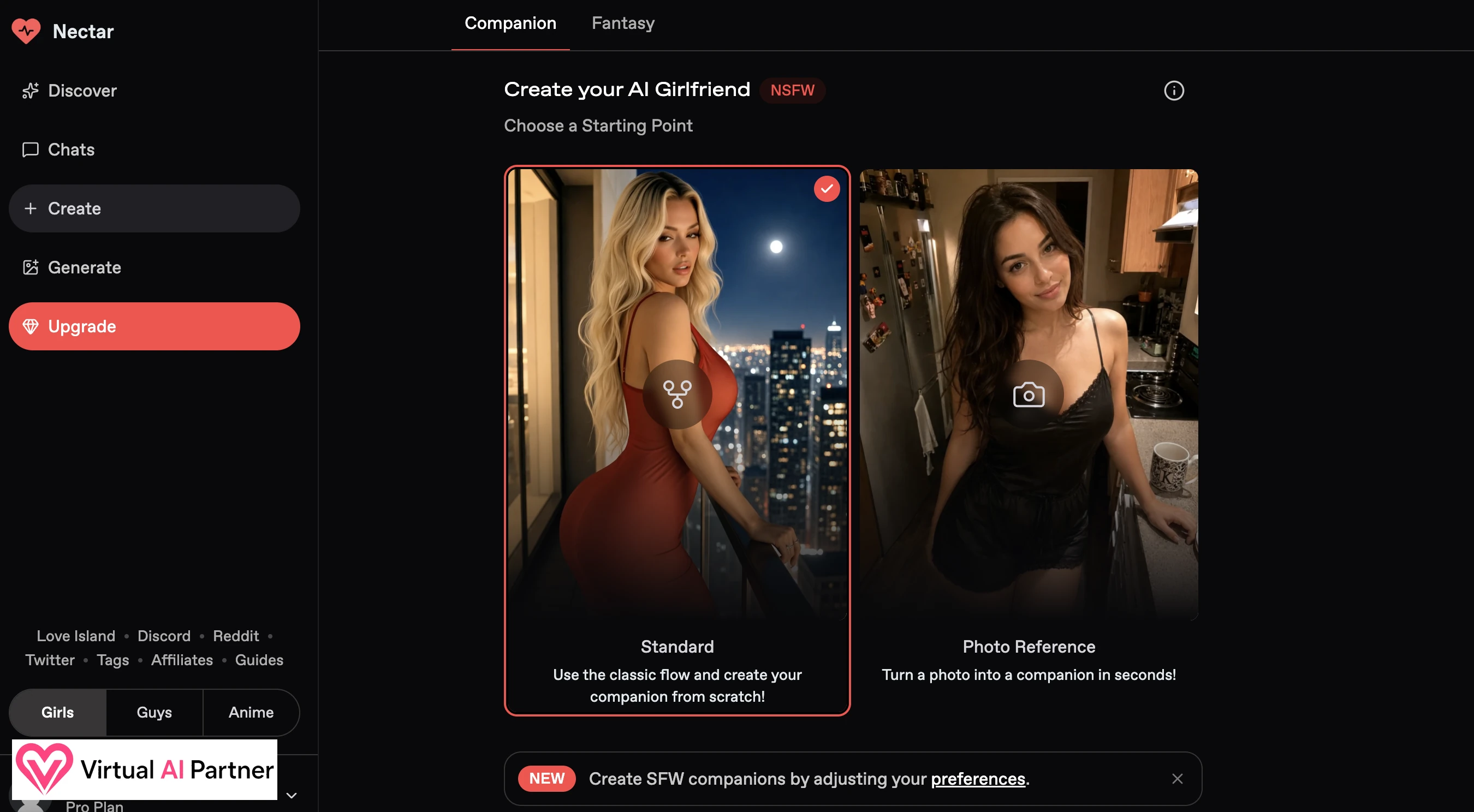
Nectar offers two starting points. Standard uses a familiar step-by-step creator. Photo Reference turns an uploaded picture into the foundation for a companion. That is interesting, but I would only upload an image I have the right to use and transform.
I chose Standard. I could select a woman or man, realistic or anime style, ethnicity, age, hair, eye color, body type, and other physical traits.
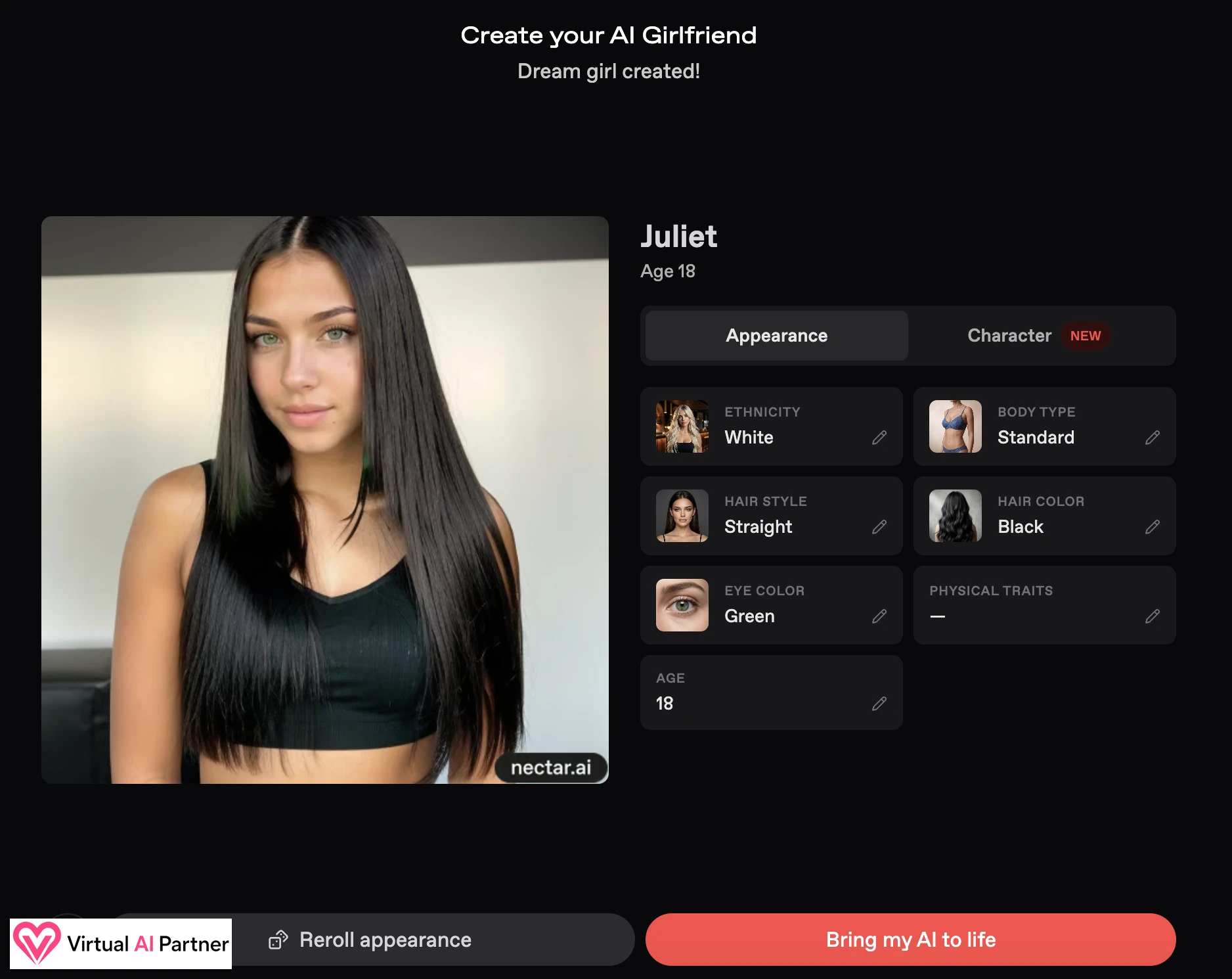
My result: Juliet
I created Juliet as a realistic character with straight black hair, green eyes, and a standard body type. The result matched the displayed choices, and I could reroll the appearance if I did not like the first face.
The Character tab then let me set her personality. I selected “flirty” and kept the default female voice. I could also write a greeting, add author comments, attach greeting media, and decide whether the character would be public.
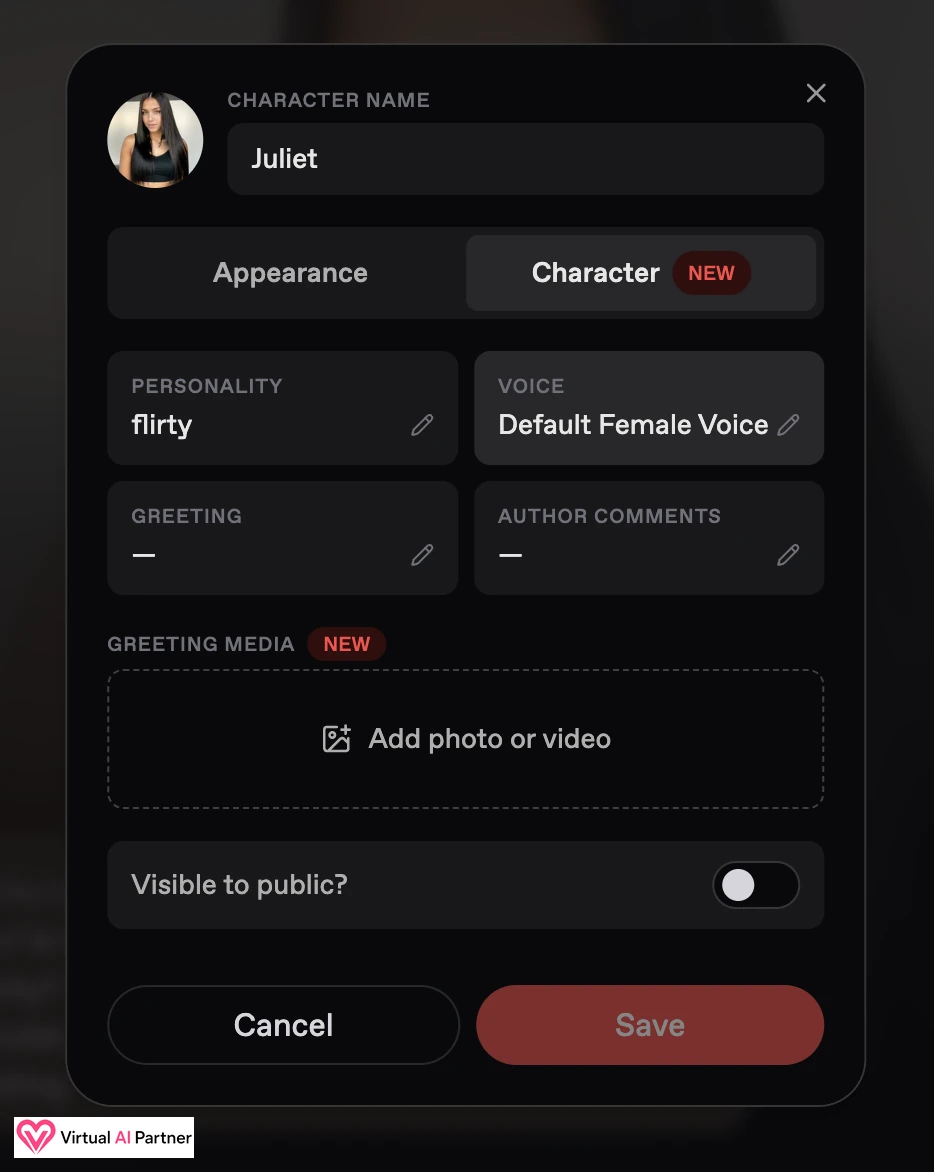
For creation: Standard is the easiest way to understand Nectar’s options; Photo Reference requires more care with image rights and privacy.
Nectar AI pricing and credits in August 2026
I did not pay for the credits used in this test because Nectar provided them. I therefore separate what I personally used from what the official pricing material advertised.
| Plan | Official starting price | Advertised access |
|---|---|---|
| Free | $0 | 15 messages and 10 generations per day, one companion, and limited memory/media |
| Premium | From $4.99/month | More generations, messages, photo messages, and voice use |
| Pro | From $9.99/month | Higher limits, HD generation, and more personas |
| Ultimate | From $14.99/month | Unlimited messaging and HD generations as advertised, plus video and priority support |
These prices came from official Nectar pages checked on August 21, 2026. The real amount depends on billing length and can change. Advanced models, memory, voice, and video may also consume separate credits. I saw Orchid Lite priced at 3 credits per message and memory at an extra 2 credits per message.
Nectar’s terms state that subscriptions renew automatically until canceled. Paid fees are generally non-refundable unless the law requires otherwise or Nectar accepts a request case by case.
Privacy and safety
Nectar may process intimate conversations, sexual preferences, uploaded images, generated content, and payment information. Its privacy policy says that user-generated content and associated metadata may be collected to provide the service.
I would avoid uploading an identifiable personal photo, ID document, or real-world contact details. Photo Reference should only be used with an image you are allowed to transform. The terms prohibit illegal content, violations of third-party rights, and any content involving a person under 18.
The service is not directed at children under 13, and users enabling NSFW affirm that they are at least 18. This summary is not legal advice.
Pros and cons
What I liked
- Immersive prebuilt Fantasy scenarios.
- Group roleplays that feel different from normal chats.
- Real control through multiple AI models.
- High-quality realistic and anime styles.
- Well-organized filters.
- A complete creator with an optional photo reference.
- NSFW photos do not appear immediately on a profile.
What I liked less
- Voices sounded robotic and lacked ambience.
- Model selection and credit costs may feel complicated.
- Costs can be split between subscriptions, advanced chat, memory, and media.
- The dense interface requires a little time to learn.
Nectar AI alternatives
- OurDream AI for its feed, media tools, and group roleplay.
- Joi AI for detailed creation and personal scenarios.
- Candy AI for a simpler and more conventional experience.
My final Nectar AI verdict
Nectar AI won me over because it genuinely changes the formula. Fantasy is not a small side menu: it gives conversations structure and makes multi-character stories easy to start.
The model selector is excellent if you enjoy understanding what happens under the hood. If you only want to relax, it can create unnecessary hesitation. The same applies to credits: the system unlocks advanced features, but I need to watch what each option consumes.
The creator is complete, the anime characters look strong, and the filters are among the best organized I have tested recently. My main disappointment is still voice, which sounded too robotic for a scene like the Bachelorette Party.
In my opinion, Nectar is most interesting for roleplay. It is more than another AI girlfriend gallery, and its interface, Fantasy scenarios, and group chats give it a real identity.
Nectar AI FAQ
Is Nectar AI free?
Yes. Nectar advertised 15 messages and 10 generations per day on its free plan, plus one companion. Limits can change.
How much does Nectar AI cost?
Official pages checked on August 21, 2026 advertised Premium from $4.99/month, Pro from $9.99, and Ultimate from $14.99. Billing length and separate credits affect the final cost.
Does Nectar AI allow NSFW?
Yes, for adults. Characters, Fantasy scenarios, and images can become explicit when NSFW is enabled.
Can I create anime characters?
Yes. The creator supports realistic and anime styles, and I found the anime models particularly polished.
Can I create a companion from a photo?
Yes, through Photo Reference. Only upload an image you have the right to use and transform.
Are Nectar’s voices realistic?
They worked during my test, but I found them slightly robotic and missed background ambience.
My recommendation: try a free Fantasy and the Standard creator first, then pay only after you understand the cost of the models and media you actually use.