

I tested Cherrypop.ai on October 14, 2026, and loved the interface straight away. That dark background with the red accents really works for me. But the biggest surprise was the quality of the images and videos. Honestly, this is one of the most visually impressive AI girlfriend platforms I’ve tried… and if you’ve been reading my reviews, you know I’ve tried quite a few!

I spent most of my time exploring the characters, trying scenes with Bria Voss, watching Reels and creating my own AI, Juliet. “Play a scene” was a particular highlight: choosing an action to move the scene forward is something I really enjoyed. I still want to spend more time with Game and the longer-term chat experience, but this first visit left a strong impression.
My Cherrypop AI review in 30 seconds
For visuals and interactive roleplay, Cherrypop is already a serious contender in my eyes. I love the interface and how the characters come to life. The main thing I’d watch is the credit budget: a subscription doesn’t make videos and scenes unlimited.
| What I liked most | The image and video quality, the red-and-black interface and the action choices in Play a scene. |
|---|---|
| Best suited to | An adult AI girlfriend experience focused on visuals, character creation and interactive scenes. |
| Free access | There is a limited preview. Reels asked me to subscribe after a few views; I didn’t establish an exact allowance. |
| Prices shown during my test | Annual Premium: US$119.99 upfront, displayed as US$9.99/month. Monthly Premium: US$19.99/month. Both were promotional offers. |
| Keep an eye on | Credits per scene turn, Premium restrictions and data retention. |
| Score | 9/10 |
Disclosure: this review contains affiliate links. I may earn a commission if you use them. My impressions come from my test and screenshots dated October 14, 2026; I distinguish what I tried from what Cherrypop advertises.
A red-and-black interface I really like
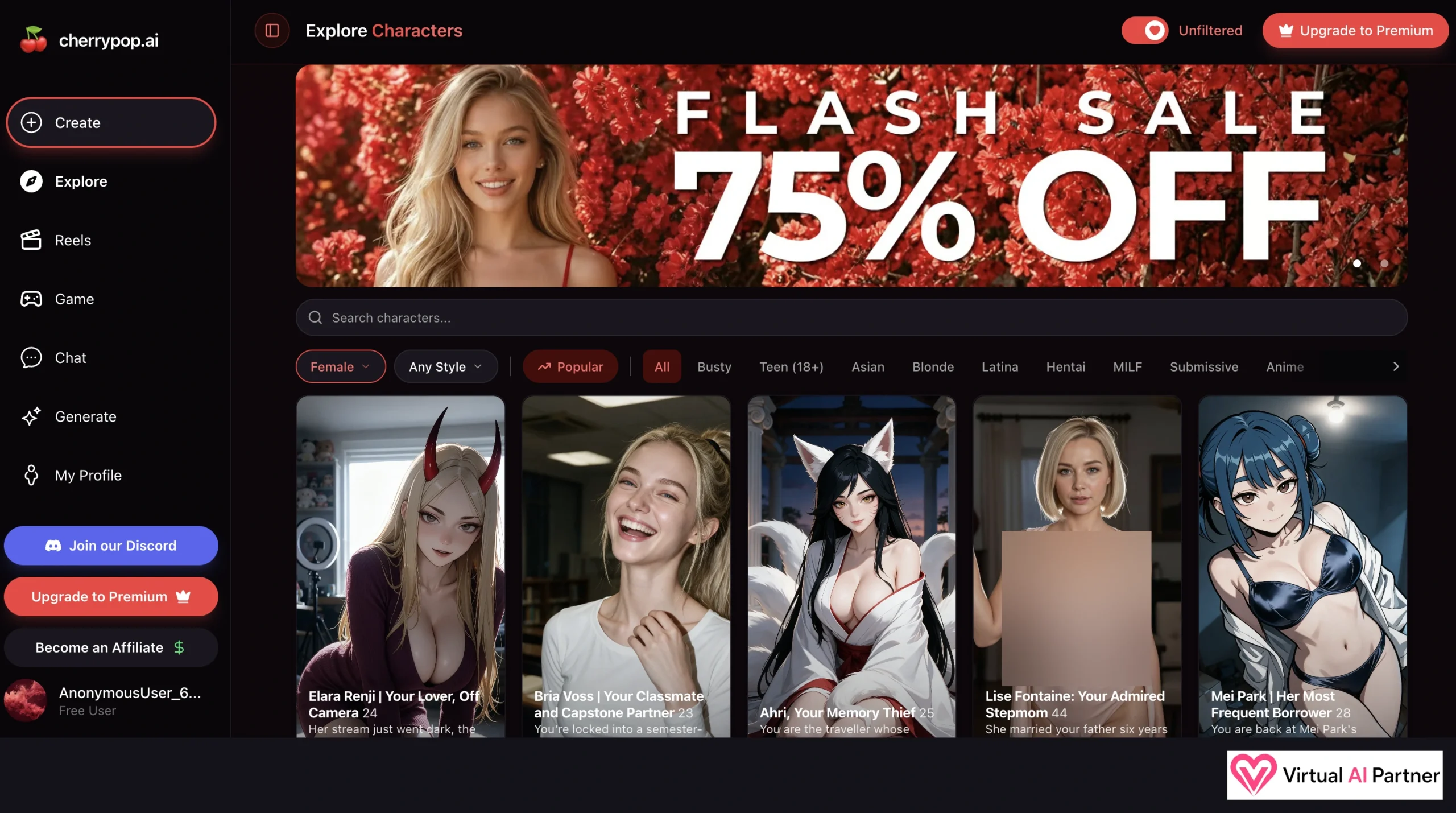
The large character cards make me want to explore, and I like the overall atmosphere. The sidebar separates Create, Explore, Reels, Game, Chat and Generate. Character creation, browsing, short videos, scenes, chat and generation each have their own place. It’s easy to see where to go.
In Explore Characters, I can see Elara Renji, Bria Voss, Ahri, Lise Fontaine and Mei Park. Realistic and anime characters appear together, with names, ages and short scenario introductions. Search, gender and style menus, the Popular sort and category filters help narrow things down.
One little touch I loved was hovering over a card. The cards I explored initially showed a relatively tame preview, then revealed an NSFW image when I moved the mouse over them. I think that’s a neat way to introduce a character. Between that and the Unfiltered toggle, Cherrypop makes its adult focus pretty clear! I observed this on desktop; I haven’t checked how it works on mobile.
Bria Voss gives me a starting point for roleplay
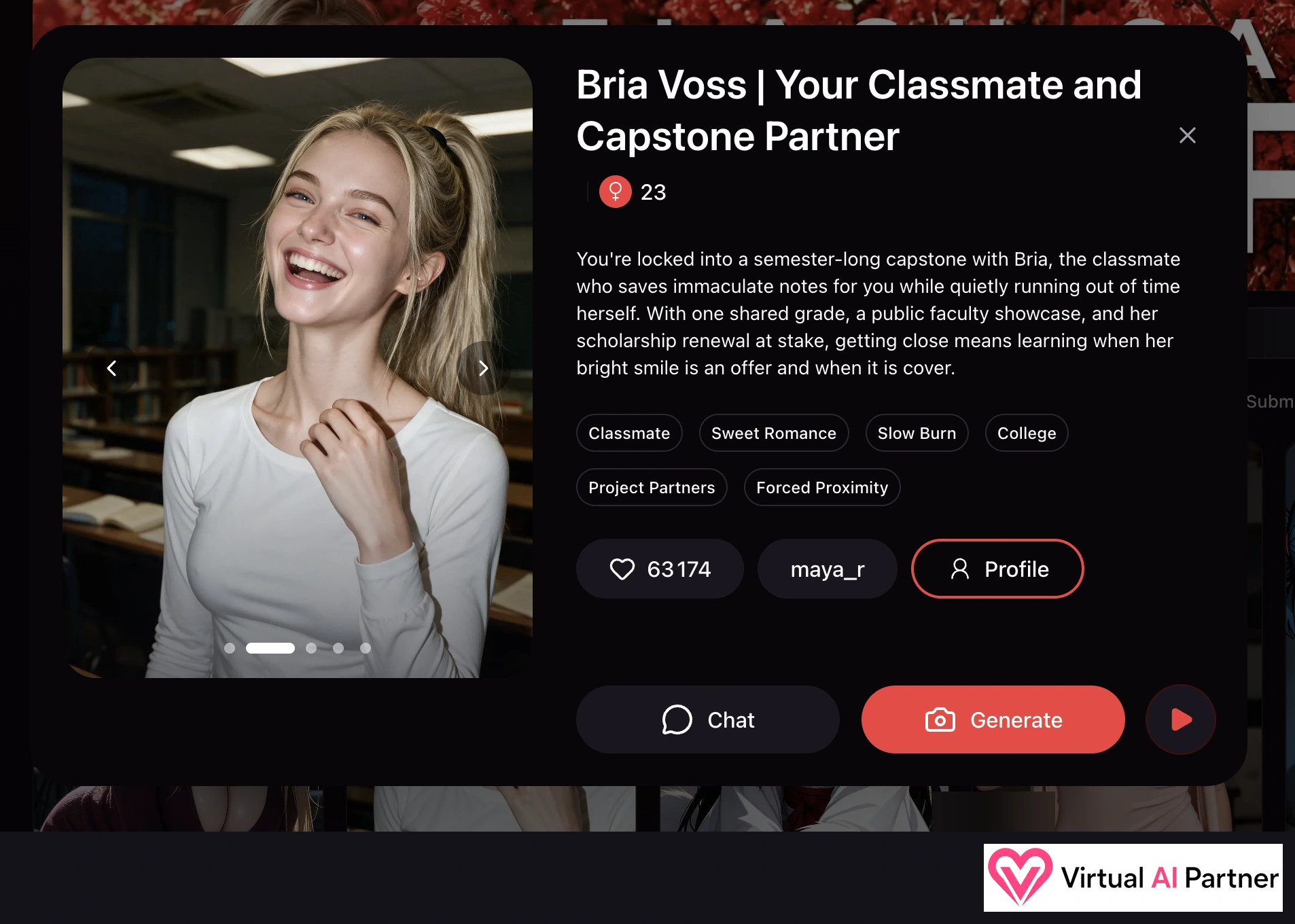
I opened Bria Voss | Your Classmate and Capstone Partner, a character listed as 23. Her scenario puts me in a semester-long university project with her. There’s a shared grade, a public presentation and even her scholarship renewal at stake. That gives me something to work with from the beginning.
The tags Classmate, Sweet Romance, Slow Burn, College, Project Partners and Forced Proximity suggest a gradual romance with a classmate. I like having that context before starting. Her profile offers Chat, Generate and a play button for a scene.
Play a scene was my roleplay highlight
This is what caught my attention beyond the visuals. I choose a situation and then take part through actions. I really like the idea of influencing what happens as the scene unfolds.
Picking a scenario and video quality
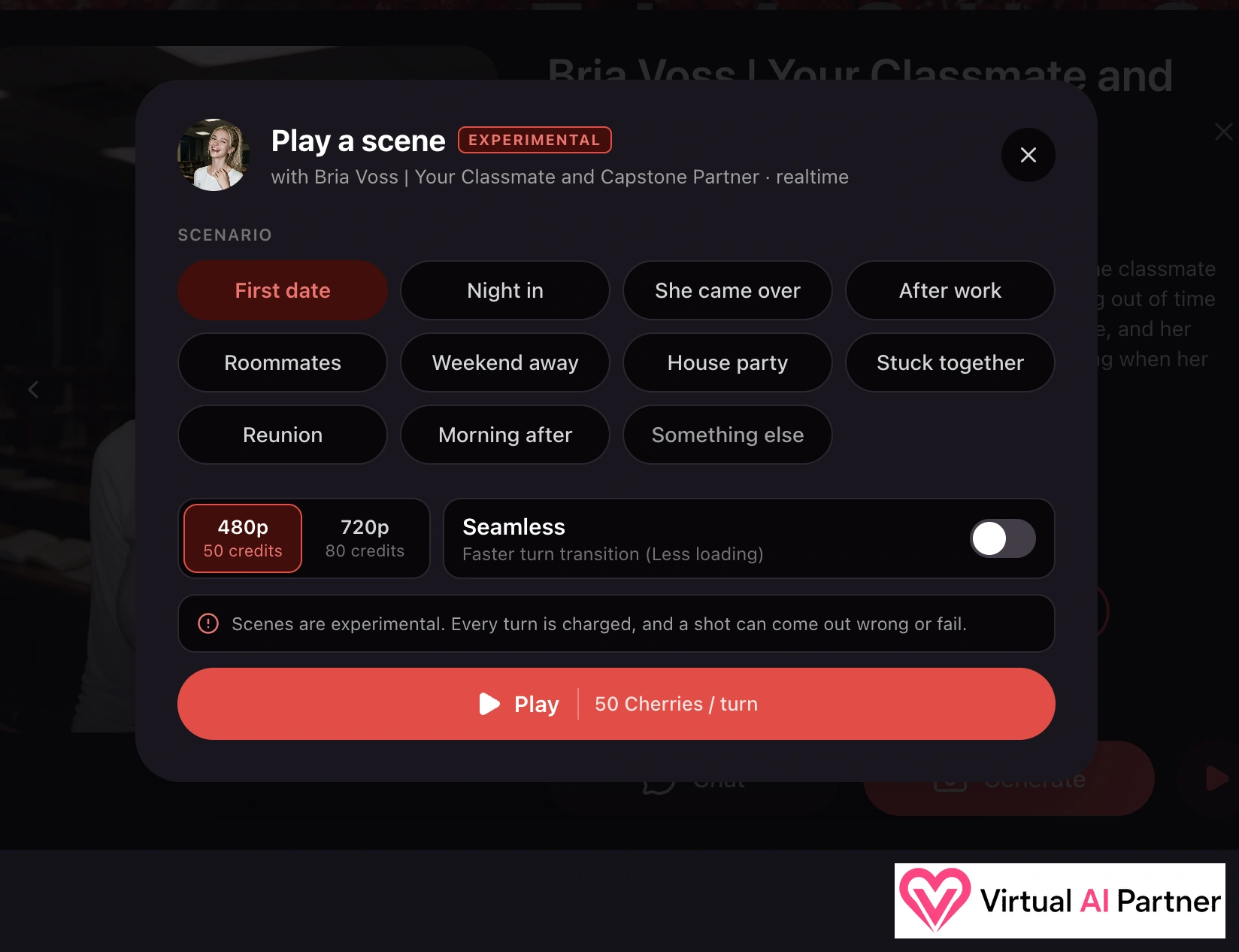
With Bria, I see eleven options: First date, Night in, She came over, After work, Roommates, Weekend away, House party, Stuck together, Reunion, Morning after and Something else. First date is selected in my screenshot. There are already plenty of starting points without having to write everything myself.
The interface shows 480p at 50 credits per turn and 720p at 80 credits per turn. Seamless is described as providing faster transitions with less loading. It’s switched off in my screenshot.
Something worth checking before pressing Play: scenes are marked Experimental. The interface says every turn is charged and a shot can turn out wrong or fail. I love the idea, but even an unsuccessful attempt can use credits.
Taking her hand or asking what she’s thinking
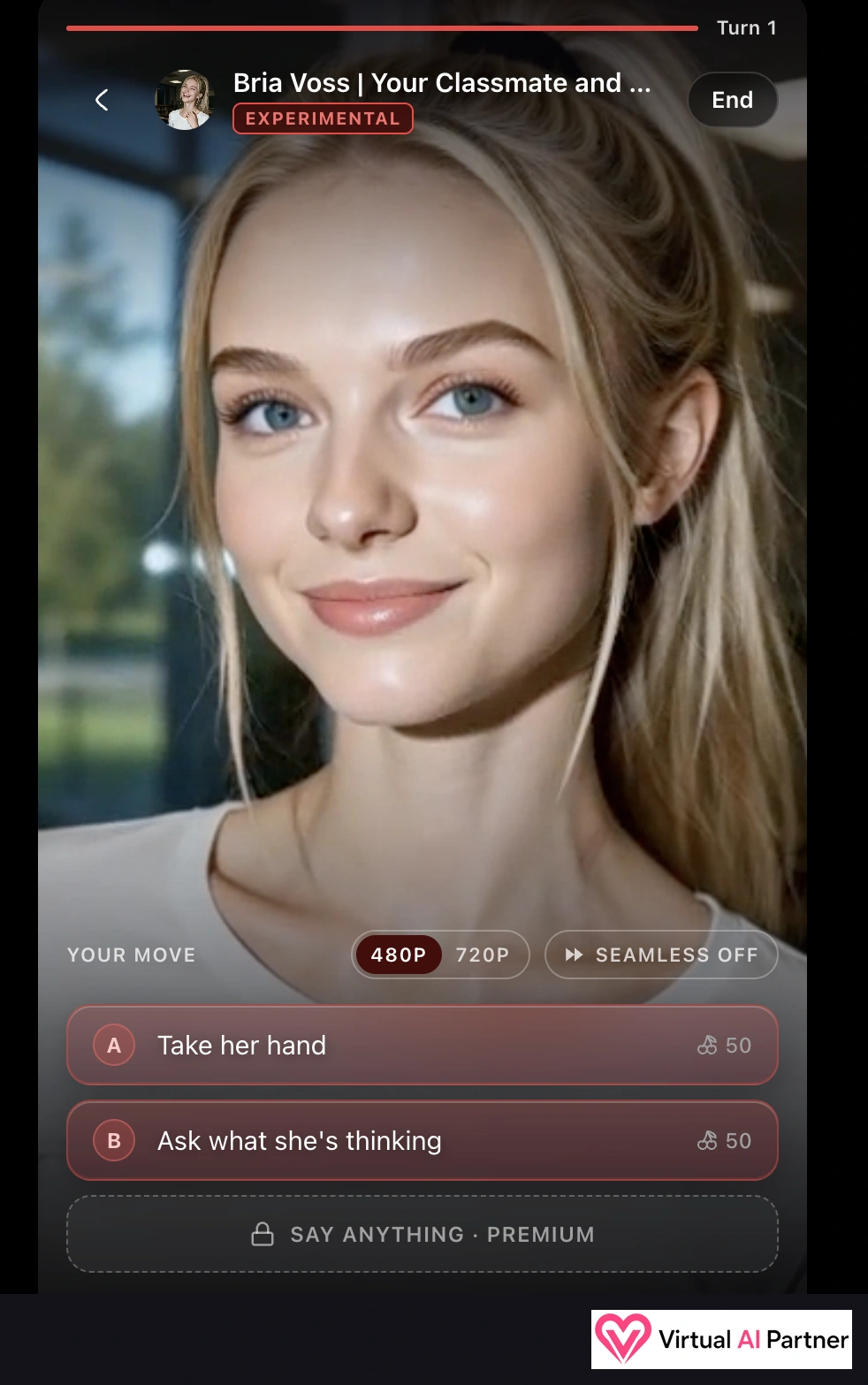
On the first turn, Bria fills the screen and Your move offers Take her hand or Ask what she’s thinking. Each action costs 50 Cherries with 480p selected.
Say anything · Premium is locked, so writing my own action requires Premium on this screen. The two suggested choices already make the idea clear. They’re simple actions, but being able to take part like this really appeals to me.
Game: Morning, Sleepyhead with Bria
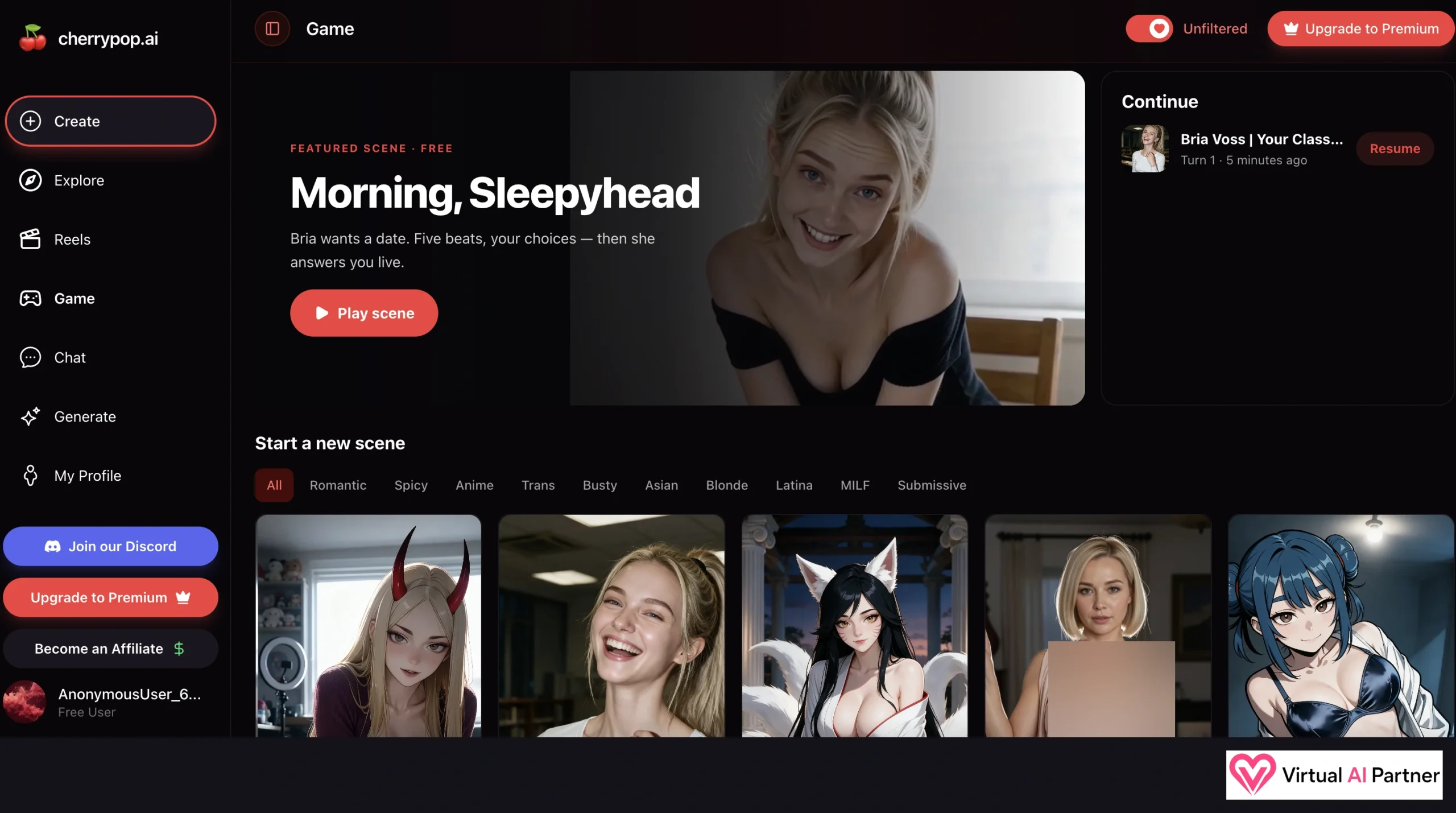
The Game section features Morning, Sleepyhead, advertised as a free scene with Bria. Its description mentions five beats, my choices and a live response. The Continue panel also shows my earlier Bria scene with a Resume button.
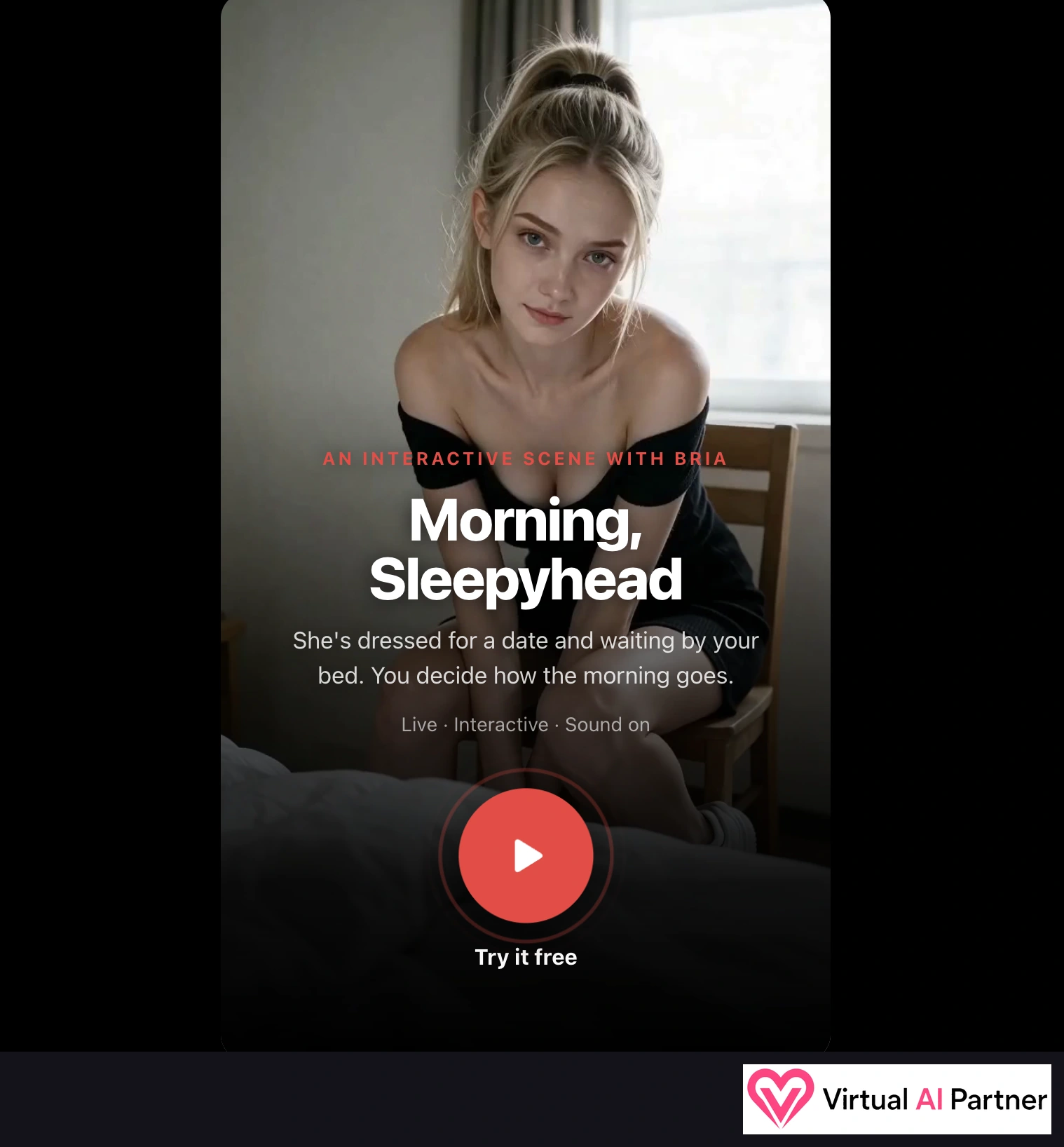
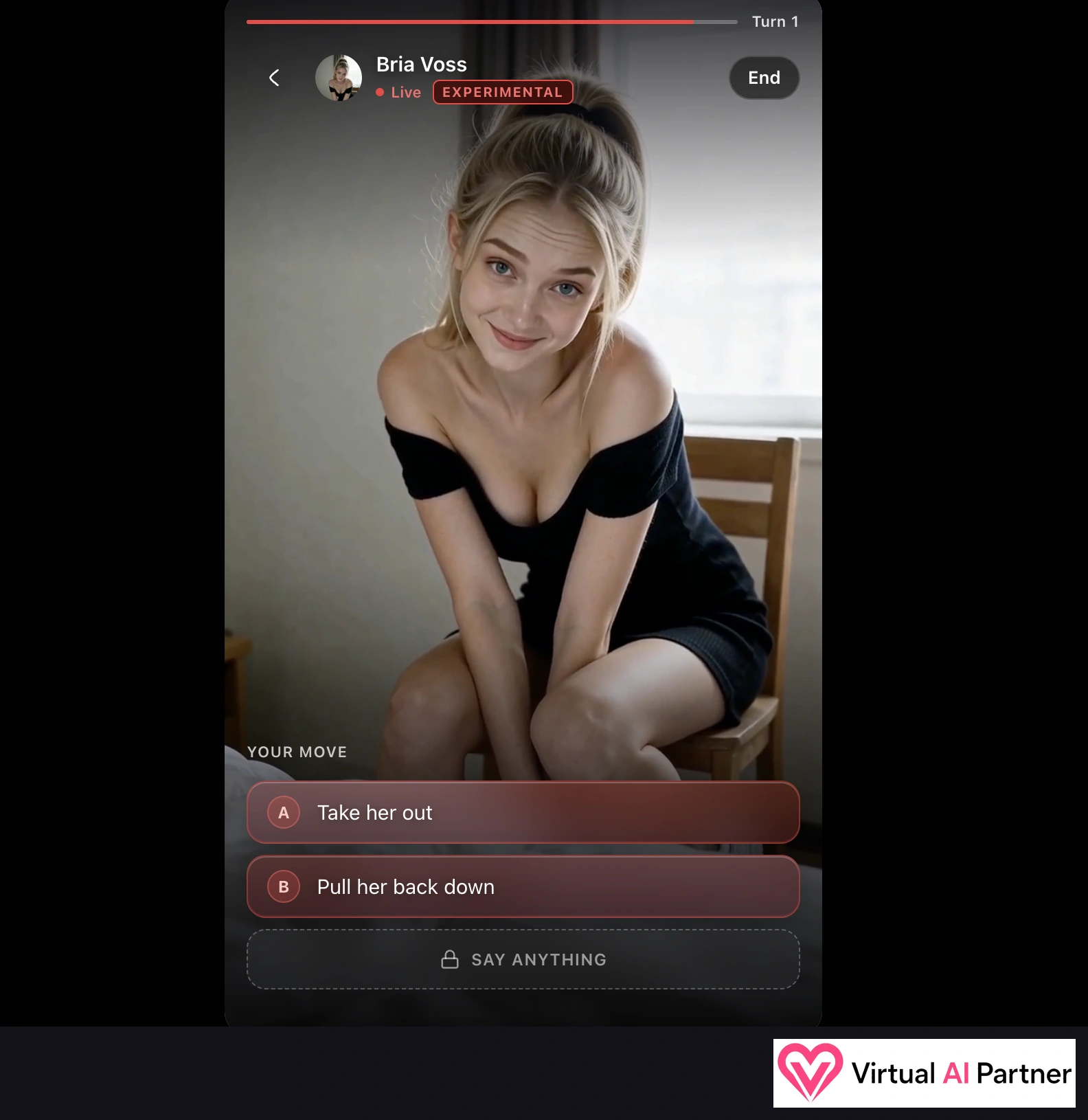
The introduction presents Bria dressed for a date and waiting beside the bed. It says Live · Interactive · Sound on and Try it free. On the first turn, the choices are Take her out and Pull her back down; Say anything remains locked.
I like what I’ve seen here too. It feels close to the scenes available from a character profile, with a dedicated place to resume them. I need to test Game more thoroughly before I can tell you how much the choices change the story.
The images and videos really impressed me
This was the standout part of my test. I’ve tried plenty of AI platforms promising great visuals, and Cherrypop is among those that have impressed me most. For me, that’s a strong reason to give it a look.
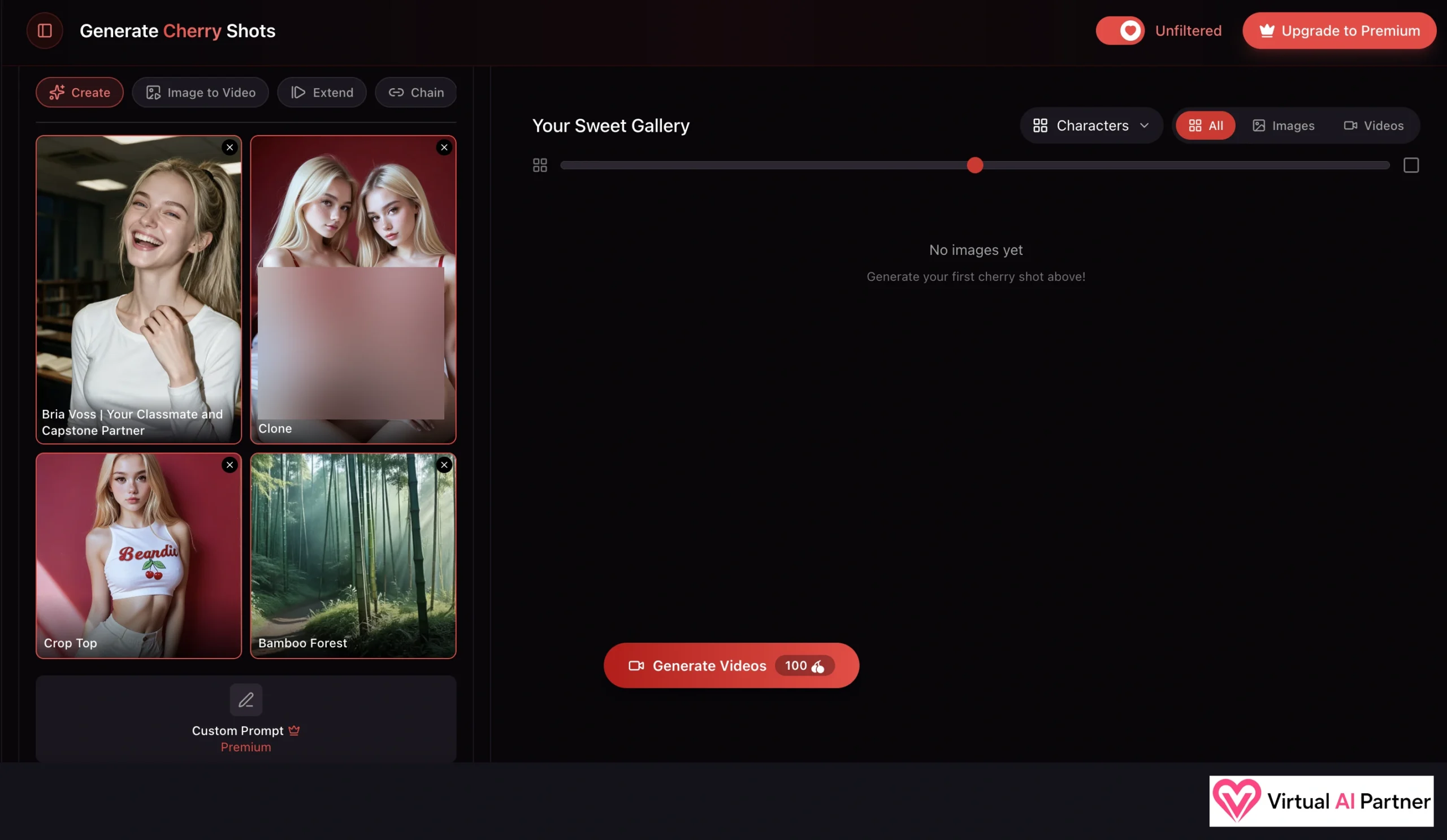
In Generate Cherry Shots, I start with a character and combine visual choices. My screenshot shows Bria Voss alongside Clone, Crop Top and Bamboo Forest. Your Sweet Gallery has All, Images and Videos filters.
The tabs are Create, Image to Video, Extend and Chain. I haven’t used Extend and Chain enough to judge them individually. The Generate Videos button shows 100 Cherries for this setup, while Custom Prompt is labelled Premium.
If you’ve read a few of my reviews, the basic process will feel familiar: a character, visual choices, then generation. I won’t turn it into a complicated tutorial. My gallery is still empty in this particular screenshot, so it shows the setup before generating a video, rather than a finished result.
Reels look great, but free viewing has a limit
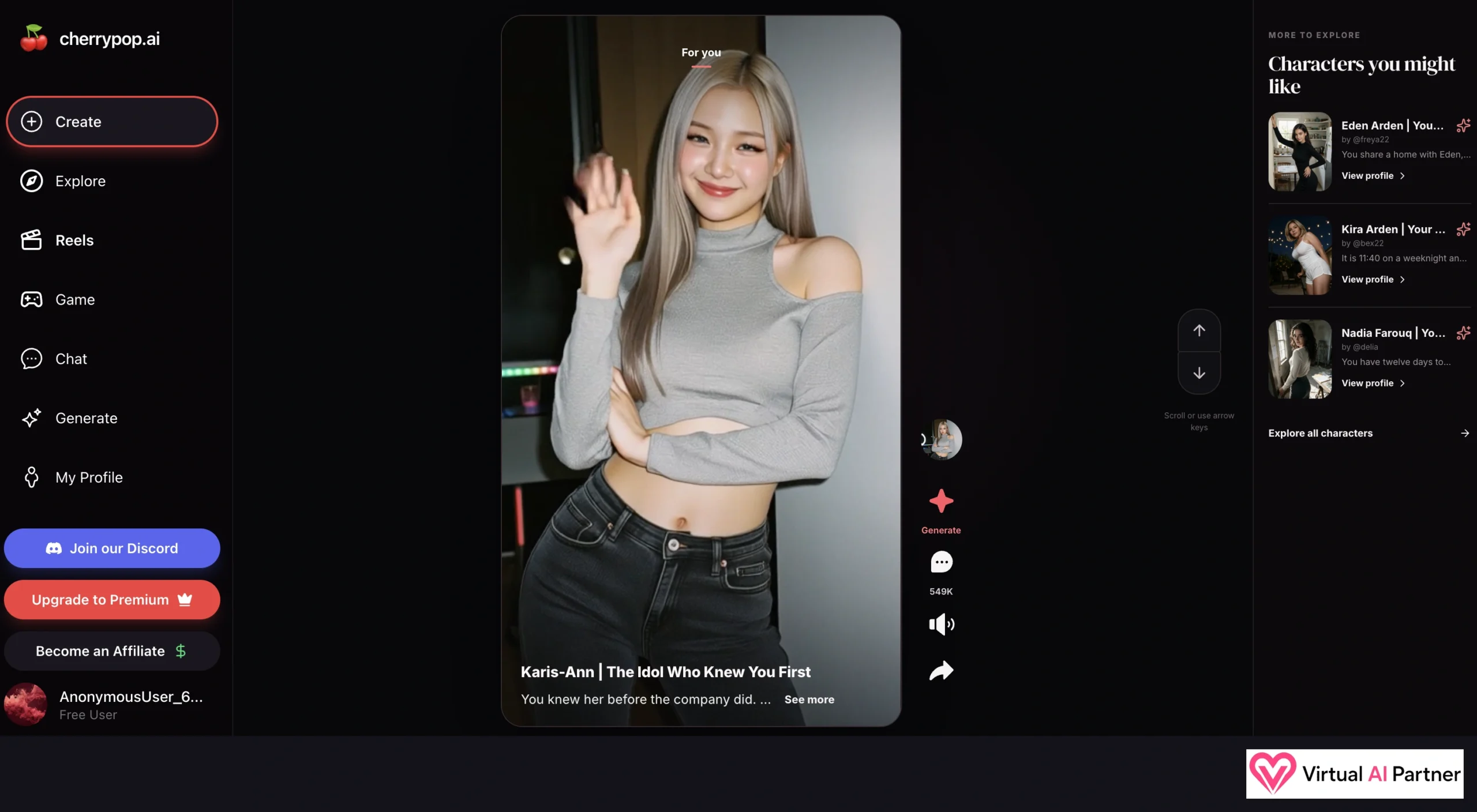
Reels use a vertical feed with scrolling, sound controls, sharing and access to generation. My screen shows Karis-Ann | The Idol Who Knew You First, with Eden Arden, Kira Arden and Nadia Farouq recommended on the right.
Again, I thought the videos looked excellent. It’s an enjoyable way to discover the characters. The catch is that after a few views, I was asked to subscribe. I didn’t count the exact number of Reels before that happened, but the free preview definitely has its limits.
Creating my own AI: Juliet, 28
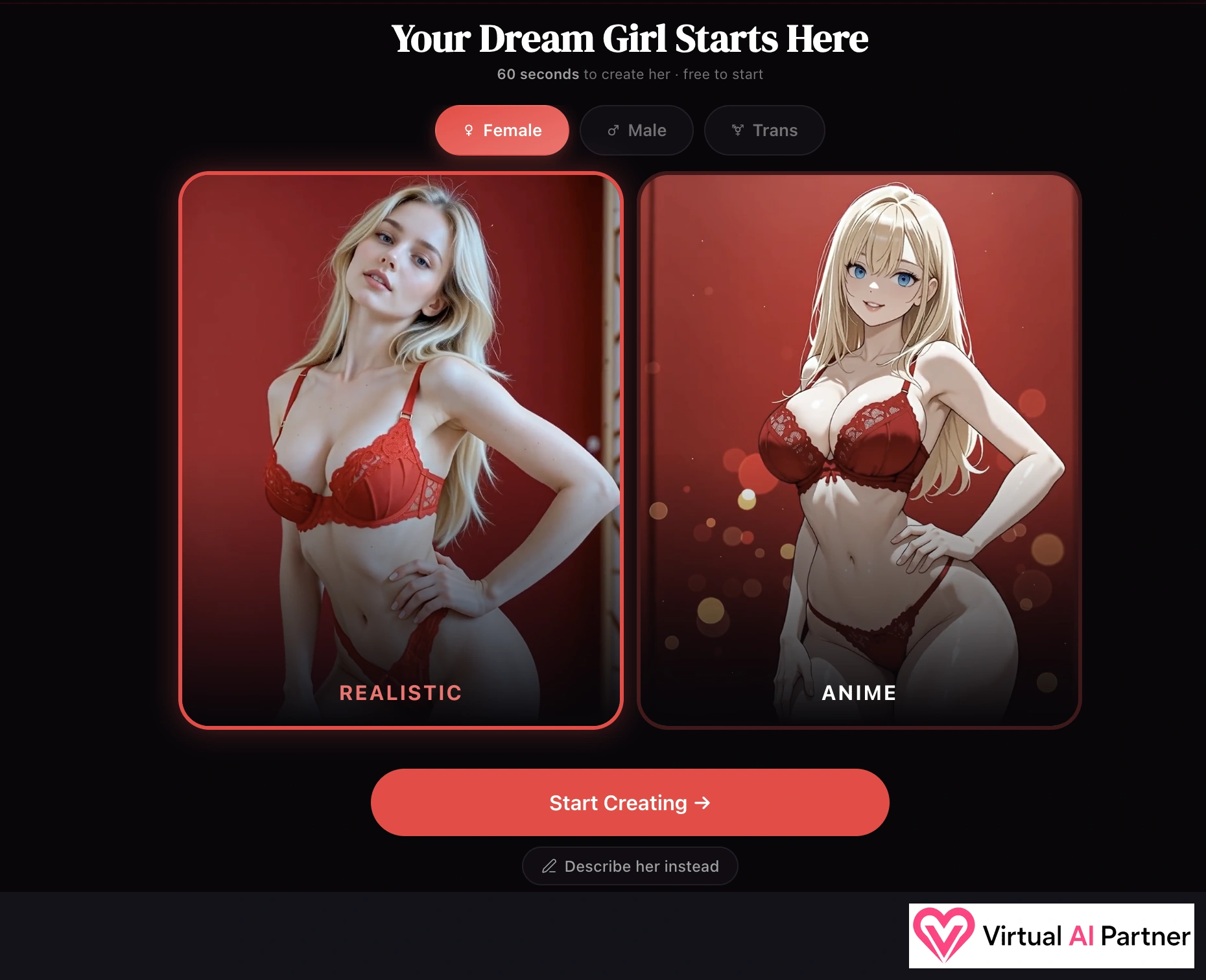
I went for a female character with a realistic look. The starting screen offers Female, Male and Trans, followed by Realistic and Anime. The six steps are Style, General, Face, Body, Details and Image. There’s also Describe her instead for starting with a description.
Cherrypop advertises creation in 60 seconds and says it’s free to start. I didn’t time myself, but these are the steps I went through to create Juliet.
Appearance, hair and body settings
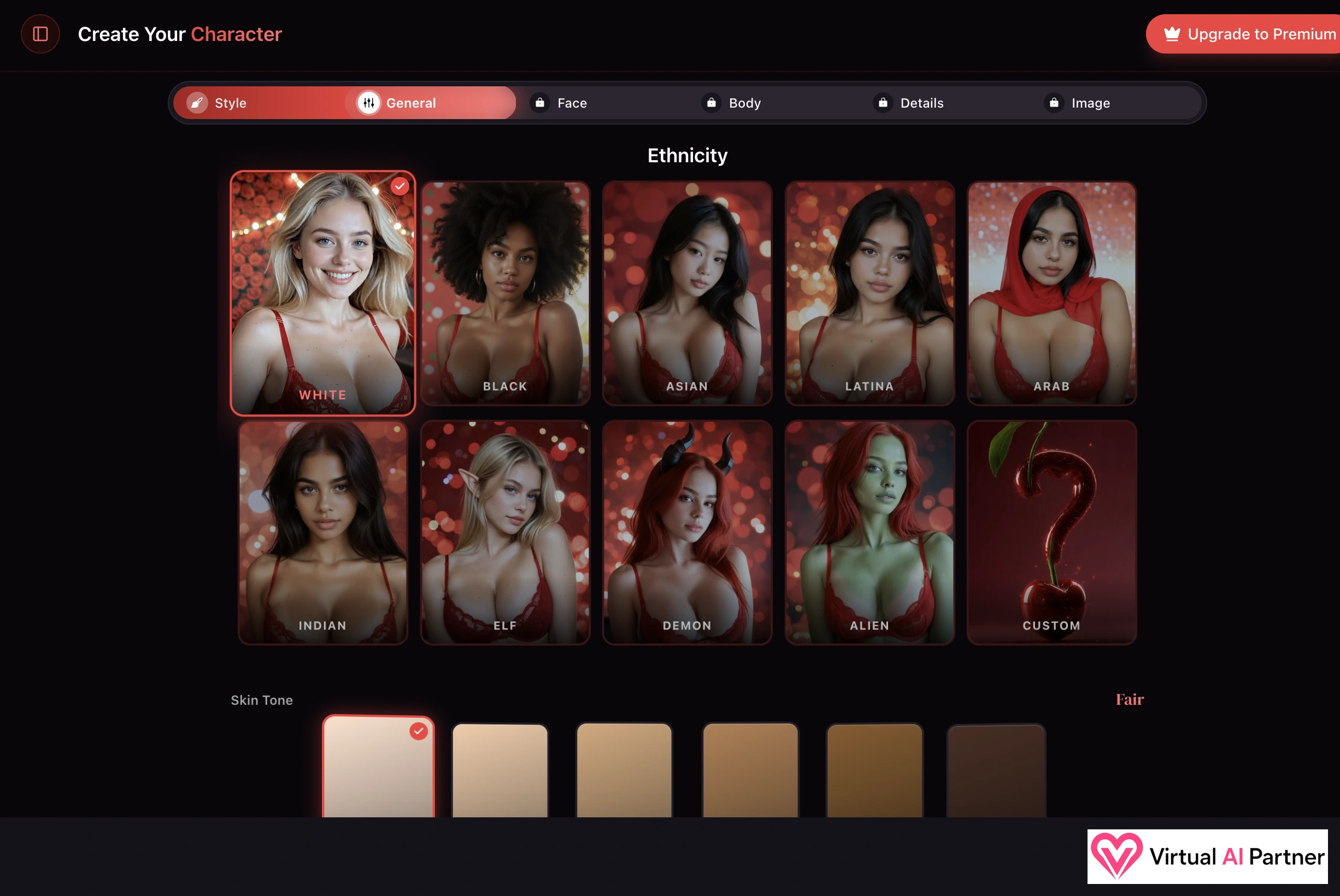
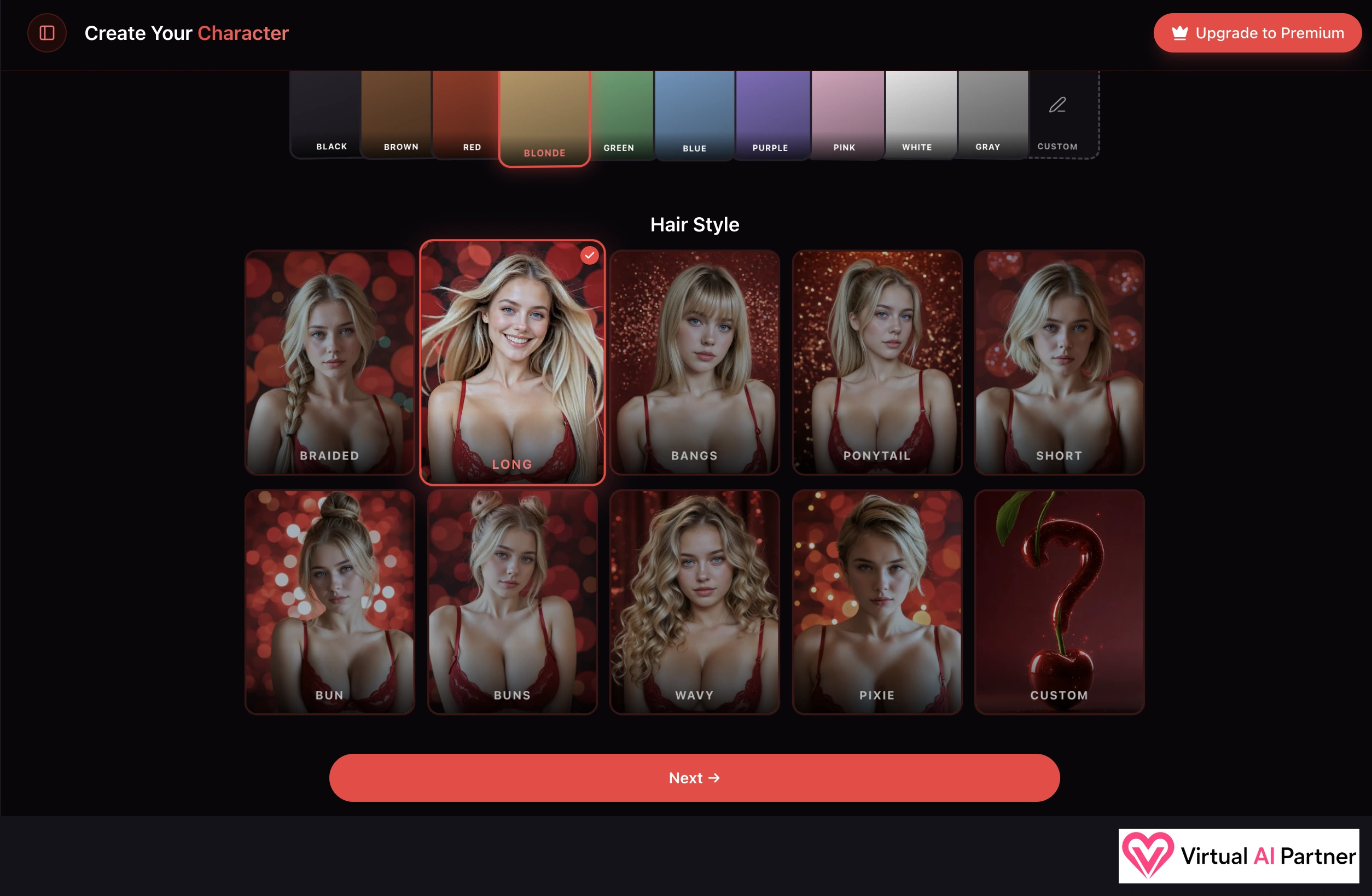
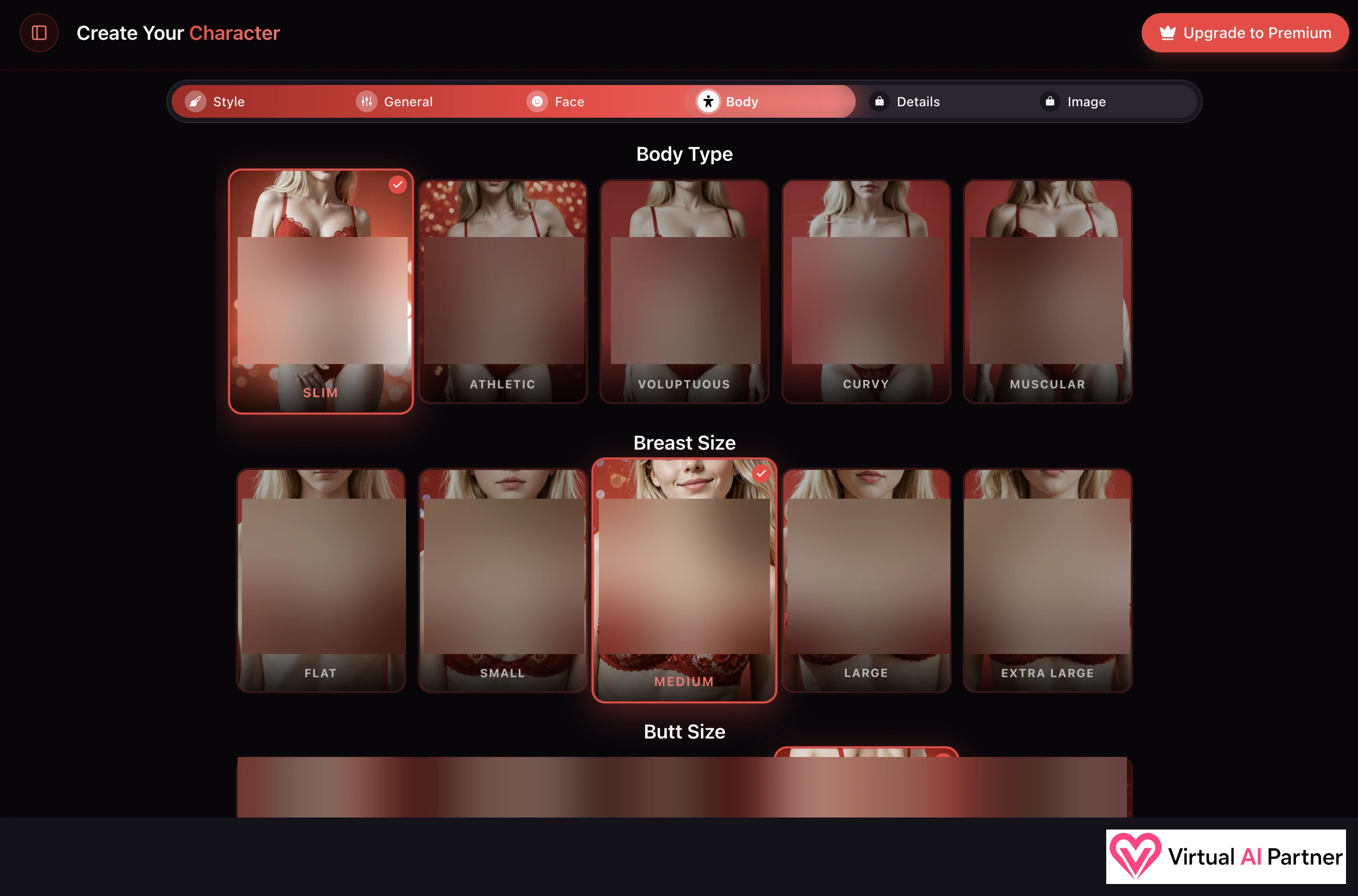
In General, I selected White and the Fair skin tone. There are fantasy options too: Elf, Demon, Alien and Custom. Hair choices cover colour and styles including long, braided, bangs, ponytail, short, bun, buns, wavy and pixie. My intermediate screenshot shows Blonde and Long selected.
Body offers Slim, Athletic, Voluptuous, Curvy and Muscular. I selected Slim, with Medium for breast size in this screenshot. Body type, breast size and butt size are separate settings, so I can see what each choice changes.
Giving Juliet a personality and a relationship
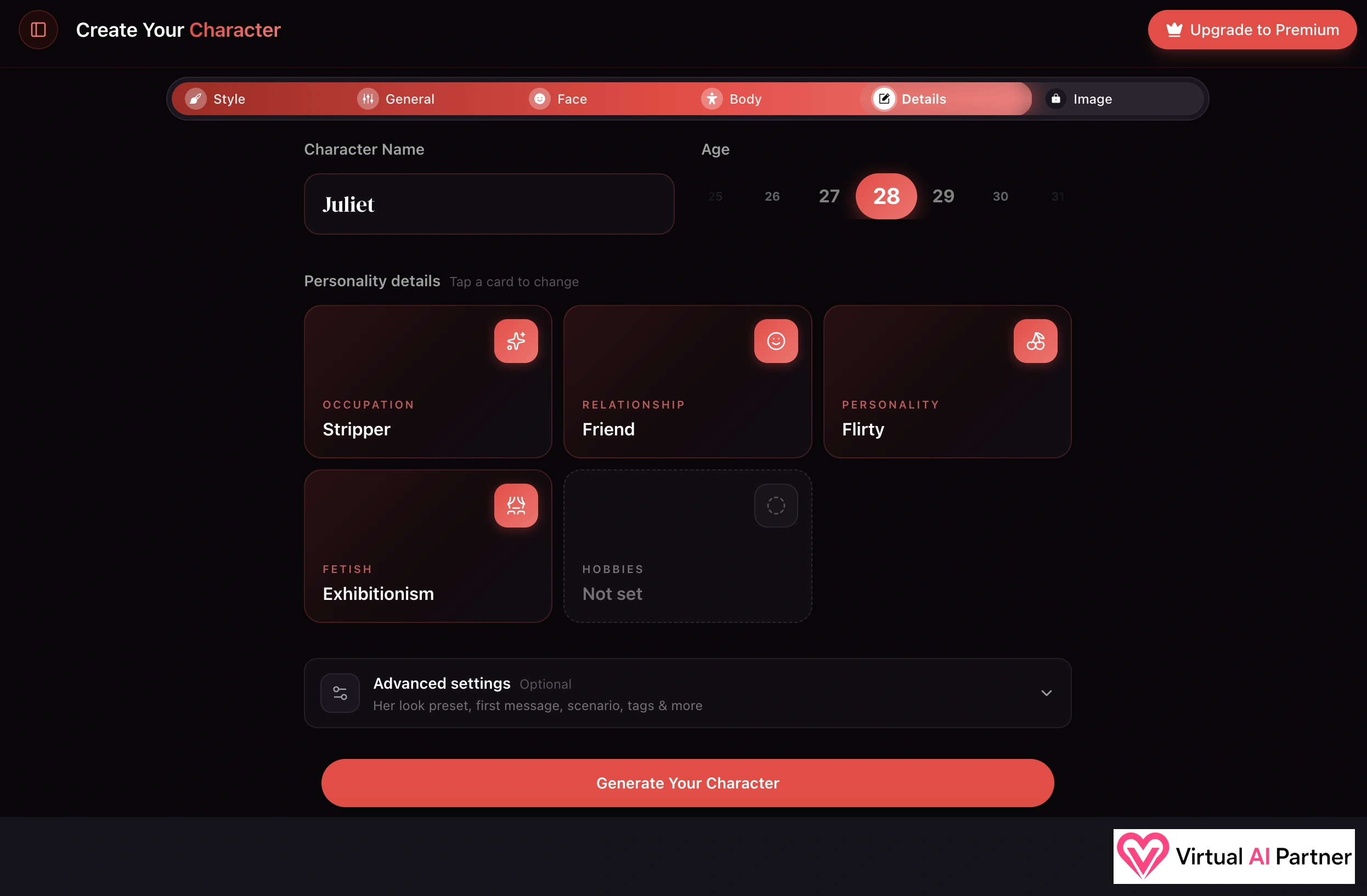
I named her Juliet and set her age to 28. In Details, my selections are Stripper for occupation, Friend for relationship, Flirty for personality and Exhibitionism for the adult preference. I left hobbies unset.
Advanced settings also advertises options for her look, first message, scenario and tags. I like being able to define the relationship context while creating the character.
The result: Juliet in black, in a club setting
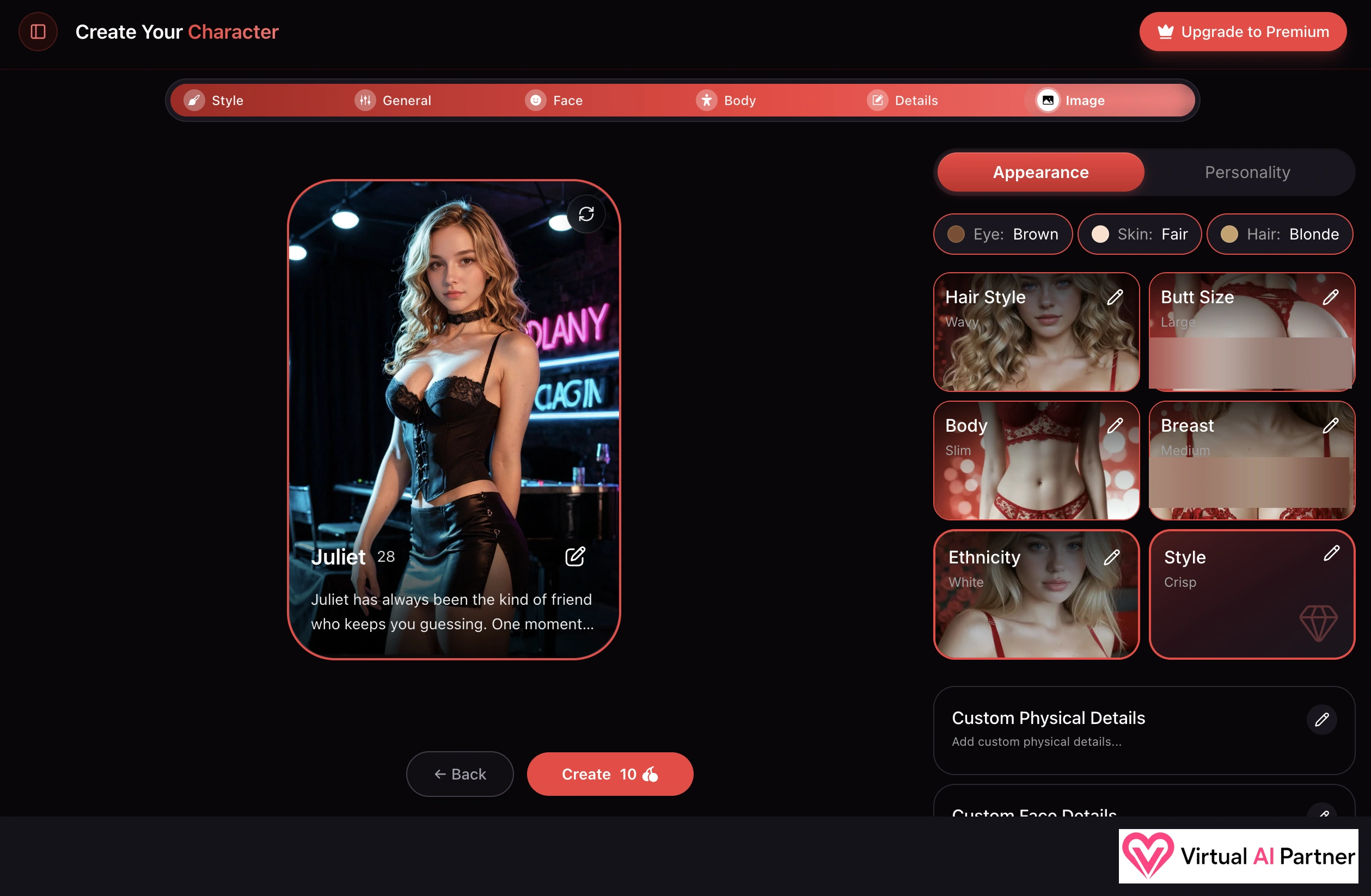
And here’s Juliet! I’m happy with how she turned out: blonde waves, a black outfit and club lighting behind her. I don’t think I asked for the black outfit, but it works. This is the kind of result that makes me want to keep exploring.
The summary lists Brown eyes, Fair skin, Blonde hair, Wavy hair style, Slim body and Crisp style. The earlier screenshot showed Long; the final one says Wavy. I don’t know when that setting changed. The final Create button shows 10 Cherries.
Chat, memory and audio: where my test stops
I was mostly drawn to the images and scenes during this test. Chat is available from the menu and Bria’s profile, but I need more time before judging memory over several days or a long conversation in French.
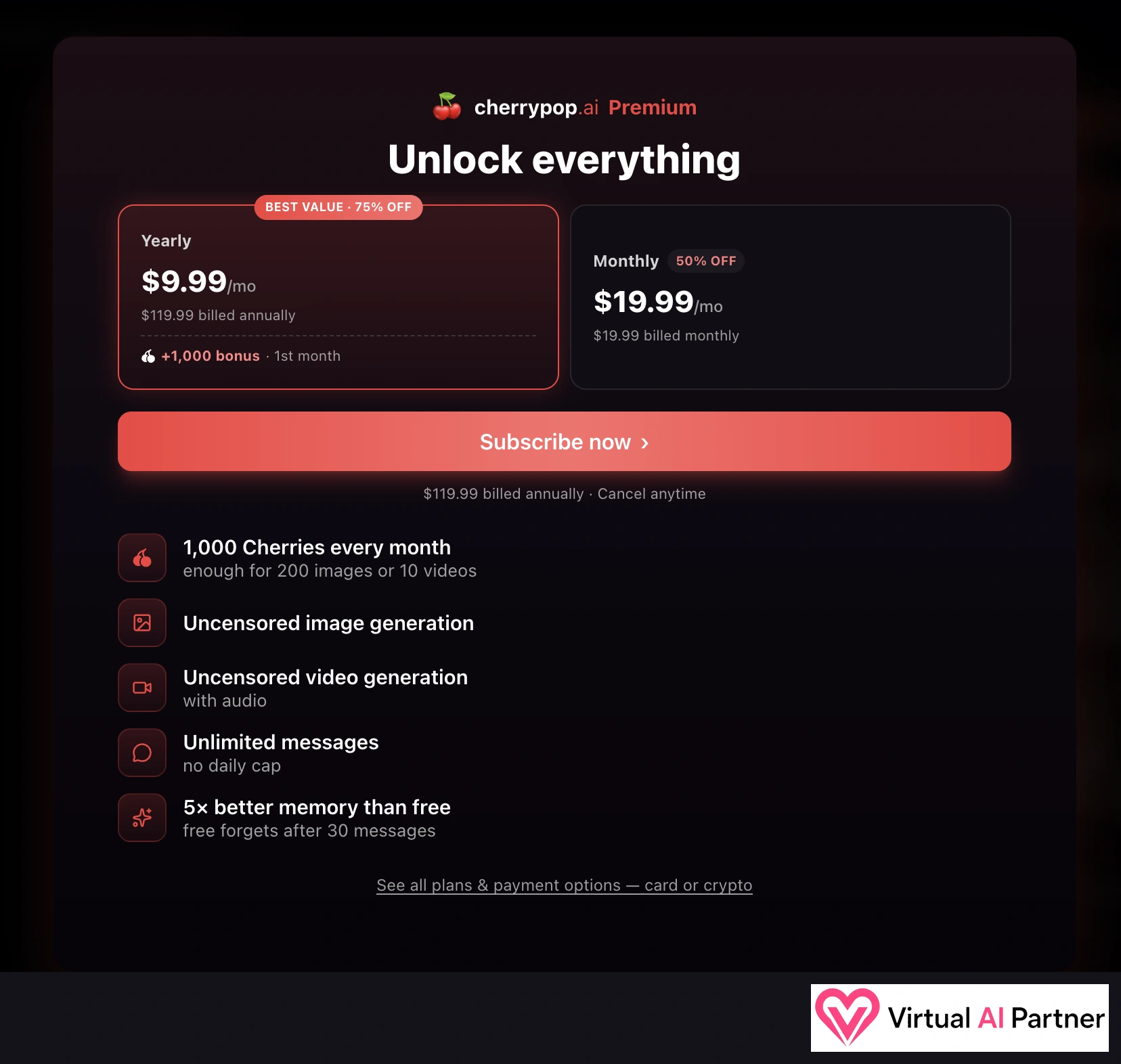
The Premium screen advertises unlimited messages with no daily cap and “5×” better memory than free, which it says forgets after 30 messages. Those are the offer’s claims; I haven’t measured them.
The same screen mentions video with audio, and the official FAQ mentions audio messages using credits. That isn’t enough for me to confirm voice or video calls, and I haven’t assessed how natural the voices sound.
Cherrypop AI pricing: US$9.99 versus US$19.99
I appreciate not having five subscription tiers to compare. The screen shows one Premium offer with monthly or annual billing. US$9.99 a month seems reasonable to me, but it means paying for the year upfront. The monthly option shown is US$19.99.
| Offer shown on October 14, 2026 | Amount billed | Details |
|---|---|---|
| Annual Premium | US$119.99 per year | Displayed as US$9.99/month, with 75% off and a first-month bonus of 1,000 Cherries. |
| Monthly Premium | US$19.99 each month | Advertised at 50% off in the screenshot. |
Those discounts were displayed during my test. I’d check the final checkout amount before paying: promotional offers can change.
1,000 Cherries doesn’t mean unlimited generation
The offer includes 1,000 Cherries each month, advertised as enough for 200 images or 10 videos. The “or” matters: these are alternative uses of the same budget, not two allowances you receive together.
| Action | Cost shown |
|---|---|
| One scene turn at 480p | 50 Cherries |
| One scene turn at 720p | 80 Cherries |
| Video generation in the shown setup | 100 Cherries |
| Juliet’s final Create button | 10 Cherries |
I did the maths: 1,000 Cherries would cover 20 turns at 50 credits, or 12 turns at 80 with 40 left over, provided I spent nothing elsewhere. If you enjoy scenes as much as I did, that’s worth keeping in mind.
Cancellation, renewal and refunds
The offer says Cancel anytime, but my screenshot doesn’t establish the renewal price after the promotion. I also haven’t confirmed a refund window or whether unused Cherries roll over or expire. I’d check the checkout terms and ask support before paying. Cancelling renewal doesn’t automatically refund an already-paid period.
NSFW and privacy: what I keep in mind
Cherrypop’s adult focus is clear from Unfiltered, the hover previews I saw, character preferences and the uncensored generation advertised in Premium. The official terms restrict access to adults; that doesn’t mean every kind of content is allowed.
I’m more cautious about claims of absolute privacy. The privacy policy lists retention of NSFW chat logs for three years, generated images and videos for one year or until account deletion, and account data while active plus one year after a deletion request. Legal obligations can extend retention.
I haven’t audited how those protections or deletion rights work in practice. The terms also provide a broad licence over content and generations, including operating and promoting the service. I’d keep identifying information and personal documents out of chat. This summary isn’t legal advice.
What I liked, and what still needs more testing
My highlights
- The red-and-black interface.
- Some of the most impressive visuals I’ve seen.
- Choosing actions with Bria in Play a scene.
- Detailed character creation and a result I liked with Juliet.
- A straightforward choice between two billing periods.
My reservations
- Free Reels quickly led to a subscription prompt.
- Scenes charge per turn and remain experimental.
- The US$9.99 headline requires US$119.99 upfront.
- Game, memory and voices need more testing.
- Data retention and the content licence deserve a read.
Alternatives to Cherrypop AI
For a useful comparison, here are three of my other reviews:
- My OurDream AI review: character creation, roleplay and visual features.
- My Lovescape AI review: another approach to images, videos and visual interaction.
- My Nectar AI review: Fantasy scenarios and roleplay options.
Cherrypop AI FAQ
Is Cherrypop AI free?
I could explore several areas for free, but Reels eventually required a subscription. I haven’t established an exact free allowance, and advanced features can also use Cherries.
Does Cherrypop cost US$9.99 per month?
In my October 14, 2026 screenshot, that is the advertised monthly equivalent of US$119.99 billed annually. The monthly plan shows US$19.99. Both are promotional prices to check at checkout.
How does Play a scene work?
I pick a character and a scenario, then choose actions to advance the scene. With Bria, I saw Take her hand and Ask what she’s thinking. The interface lists 50 credits per turn at 480p and 80 at 720p.
Can I create my own AI girlfriend?
Yes. I created Juliet, 28, choosing her appearance, occupation, relationship and personality. Her final creation screen shows a cost of 10 Cherries.
Does Cherrypop offer NSFW content?
Yes, the interface and Premium offer clearly focus on adult content. Hovering over some character cards revealed NSFW previews during my desktop test. The service is for adults.
Are videos and scenes unlimited with Premium?
No. The offer includes 1,000 monthly Cherries, and visual actions have a cost. Premium advertises unlimited messages, which is different from unlimited generation.
My verdict: a great discovery for visuals
For me, Cherrypop already belongs among the stronger options for visuals. I love the interface, the images and videos impressed me, and I’m pleased with Juliet. What I most want to return to, though, is Play a scene. I really enjoyed that interactive side.
If you want an adult AI girlfriend platform with strong visuals and roleplay, I think Cherrypop is worth trying. I’d start with the free preview to see whether you like the atmosphere. I want to come back and explore Game further myself. Just keep an eye on your Cherries: a subscription won’t cover unlimited scenes and videos.