

I tested GeneratP***.ai on October 15, 2026, and honestly, I see it as a top image and video generator that starts with a photo. I give the AI an image, choose what I want to do with it, and get a new visual. In my case, that meant a character I had created with Xotic, a white dress, and a beach. About a minute later, I had my result.

To me, this is one of the most interesting ideas I’ve seen in a while for creating visuals around an AI character. I mainly see it as a visual creation tool, rather than an AI girlfriend you actually chat with. The text fields describe an image or an action. My enthusiasm comes from a successful free image and the possibilities shown on screen; I haven’t tested the videos yet or established whether there are emotional conversations or ongoing chat memory.
My review in 30 seconds
My take: a top image and video generator from a photo, with an approachable interface. I liked my free result. I’m more cautious about the videos, which I haven’t generated, and the privacy promises, because the official explanations aren’t consistent.
| What I actually tested | An AI character from Xotic and an image request for a white dress on a beach. |
|---|---|
| Time I observed | About a minute for my result. This isn’t an average across several attempts. |
| What I’d use it for | Creating visuals from fictional adult characters. |
| Free access | A limited trial. My image was generated for free; that doesn’t make video generation free. |
| First pack shown | 65 Coins for US$4.99 as a one-time purchase. |
| My main reservation | I haven’t tested the paid features, and the official documents contain inconsistencies. |
| Review score | 9/10 |
What is this review based on? I’m sharing my test and screenshots from October 15, 2026. Other features are described from the screens and official information I checked that day. I haven’t bought a pack or tested the videos, support, or automatic deletion. All ten screenshots from my test appear below, with sensitive previews permanently blurred and the VAIP watermark embedded in the files. This review contains affiliate links: I may earn a commission if you use them, at no extra cost to you.
The idea: start with a photo and create something new
The advertised workflow has three steps: add a photo, choose a preset, and get the result. A clothed person can be the starting point, and the cost appears on each tile. That direct approach is what I like: I can immediately understand what the tool is meant to do.
The catalog shows outfit changes, poses, image sets, and several video formats. It also includes transformations intended for adults. I want to be clear about that: my example is a dress on a beach, but the service isn’t designed for every audience.
Signing in: the options on my screen
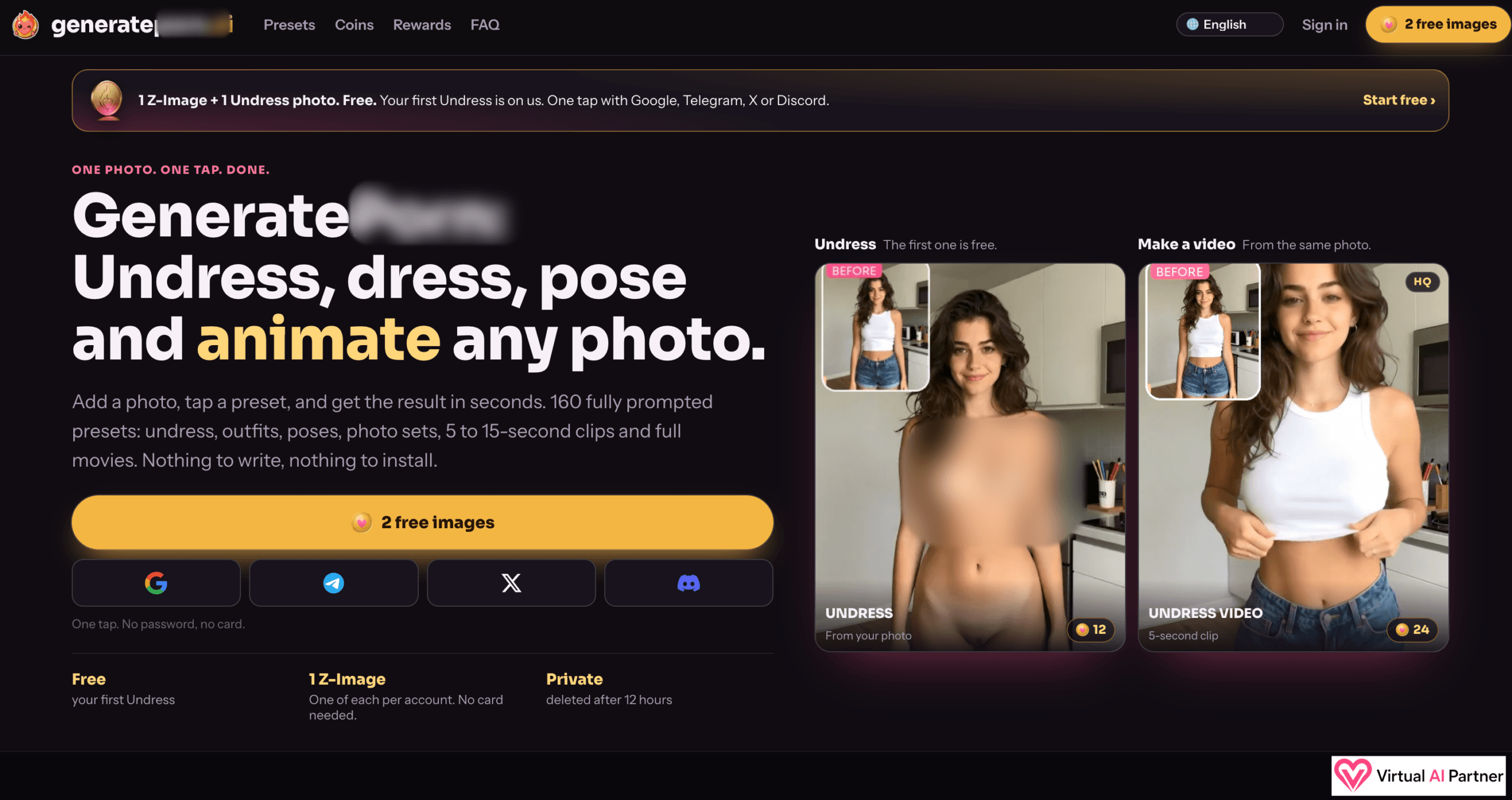
My homepage screenshot shows Google, Telegram, X, and Discord sign-in options. The introductory offer advertises two separate image trials without a bank card. I wouldn’t treat that as a universal credit for any feature: the screens clearly separate the tools and their costs.
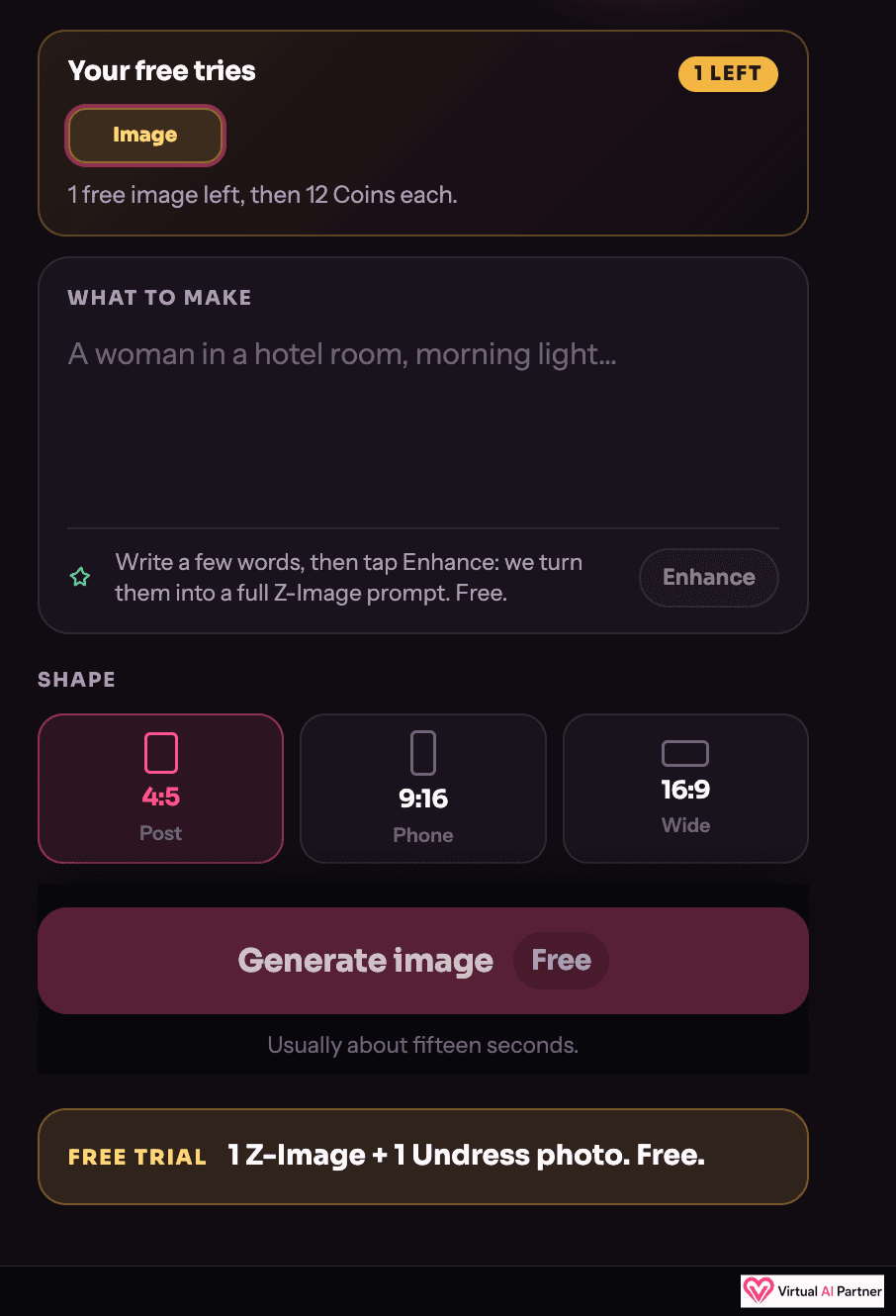
I’m not going to invent a step-by-step sign-up tutorial, because my screenshots don’t document that whole process. What they do show is my uploaded image, the generator, and the result I received.
My test: my Xotic character in a white dress on the beach
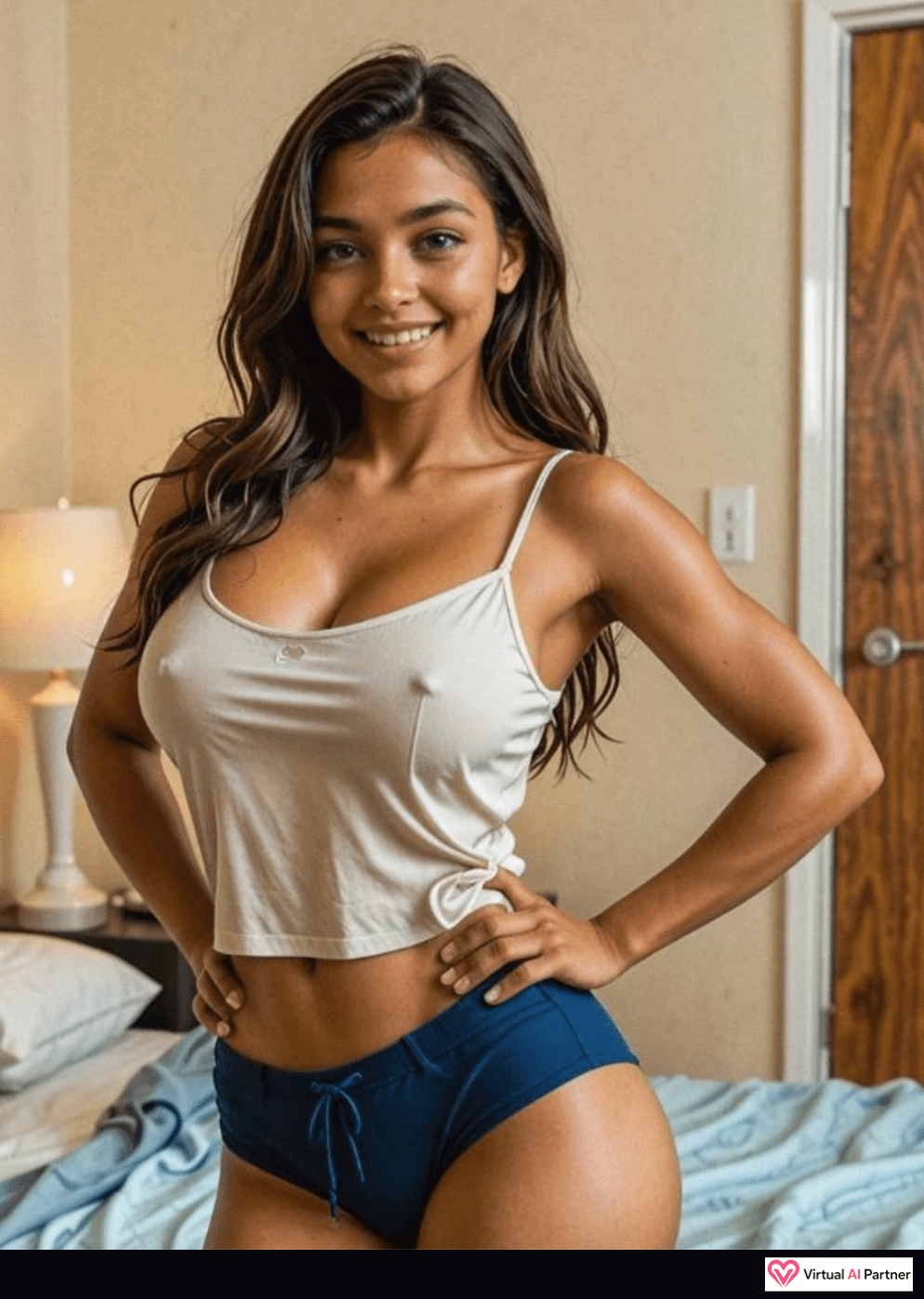
I didn’t want to use a real person’s photo for this review. I used an AI character I had already created with Xotic. That felt like a better way to explore the tool and show what it does.
My request was simple: a beautiful white dress, on a beach. Generation took about a minute. Honestly, the result looks pretty good! It has the white dress and beach I asked for, with palm trees and the sea behind the character.
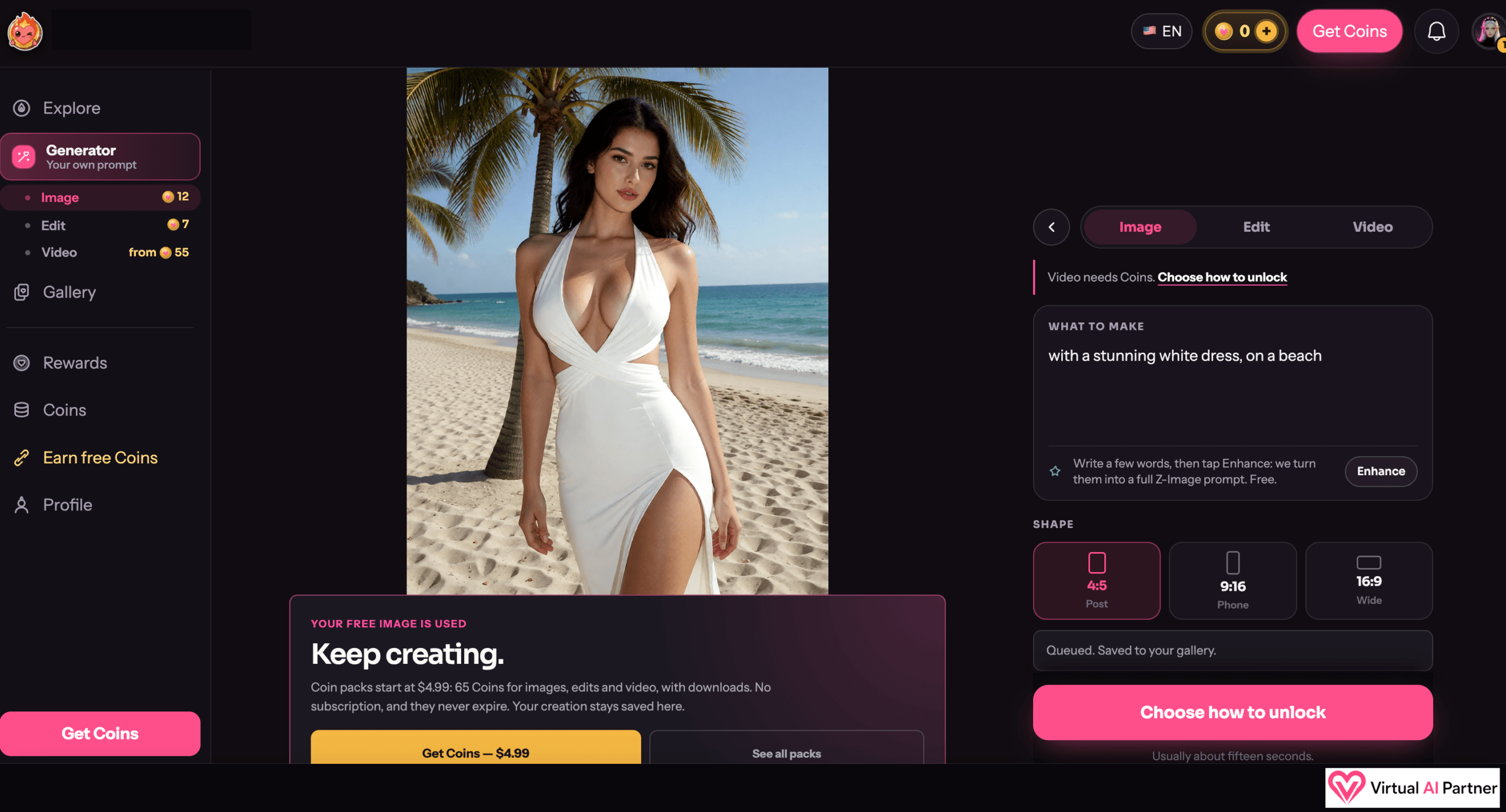
That first attempt made me want to explore further. I like getting from an idea to an image without writing a huge scenario. But I separate two things: following my outfit and setting request, and preserving the exact identity of the original character. My result supports the first point; I haven’t run a series of comparisons to assess the second.
Another limitation: I only have one attempt to show here. I can’t promise the same success with every pose, character, or request.
Images, clips, and short movies: lots of possibilities, still more to test
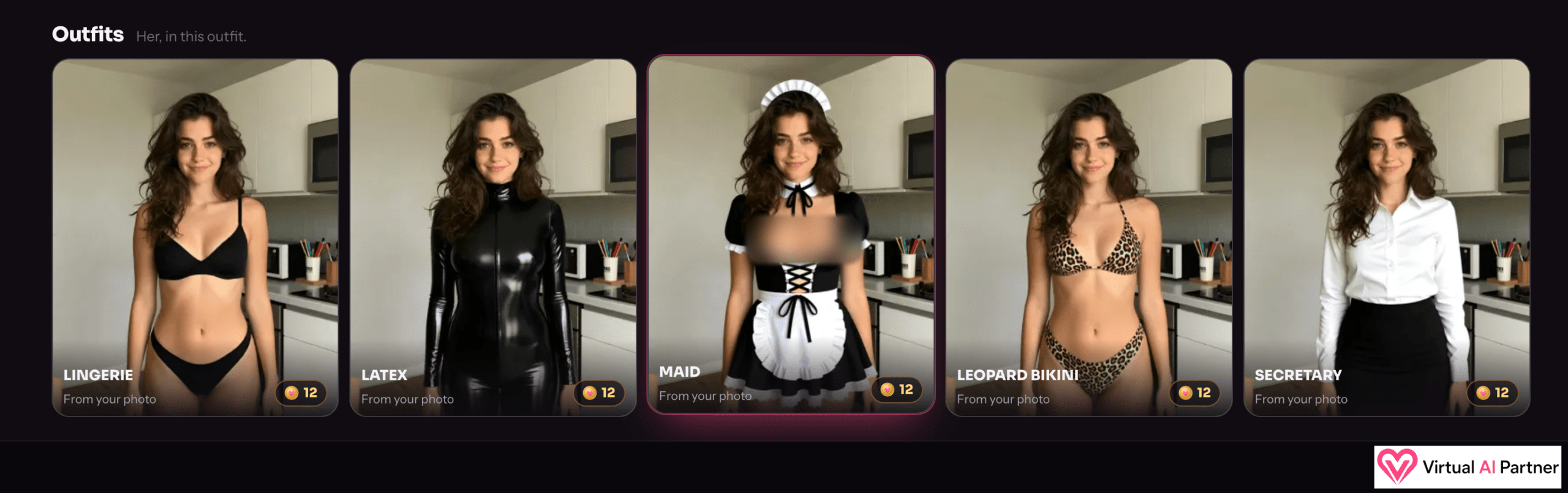
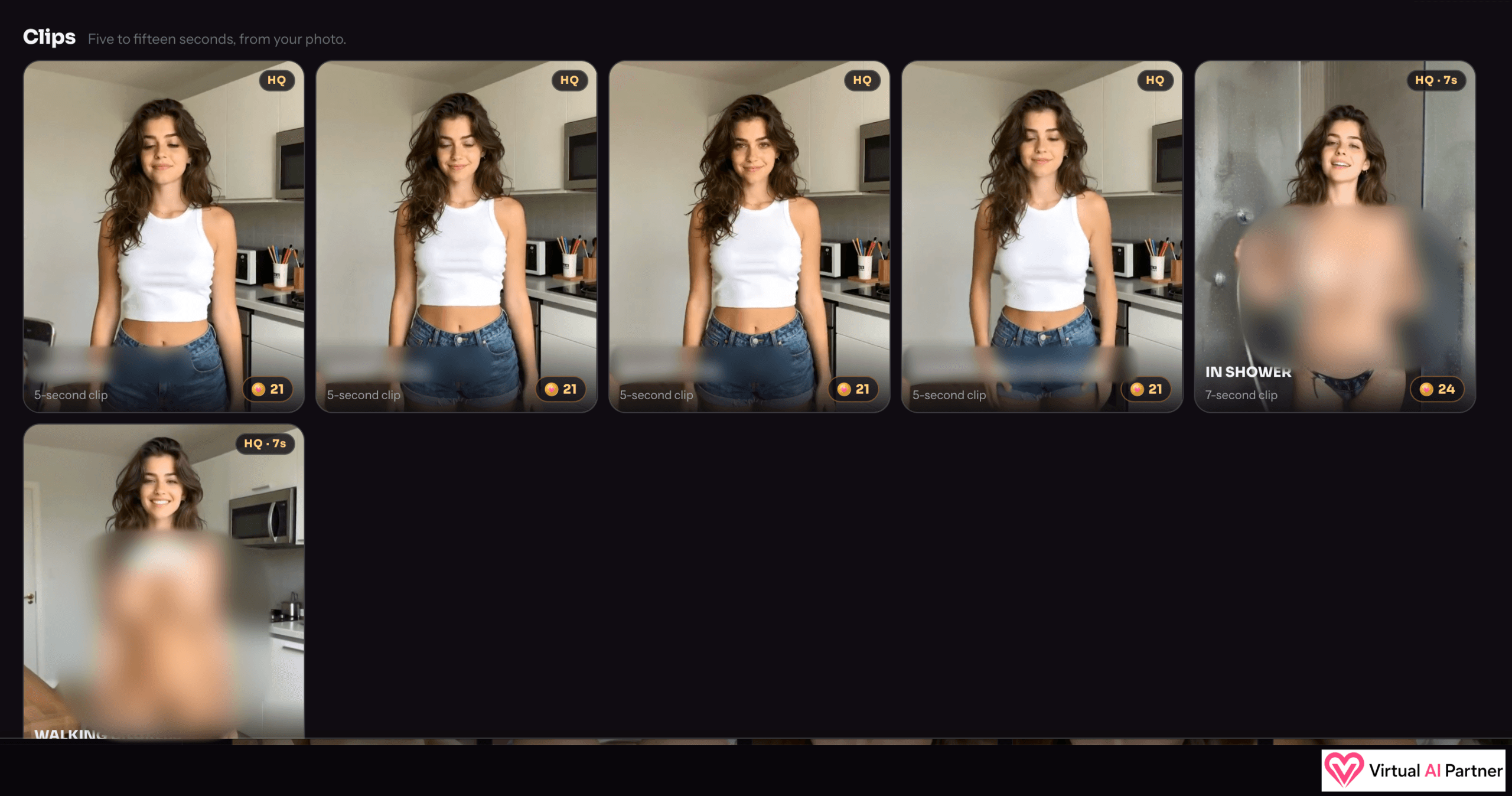
What surprised me was the range of formats built around a single image. I can see outfit presets, photo sets, and clips. I think it’s a really cool way to put a fictional character into different settings.
The clip tiles in my screenshot advertise lengths of 5 to 15 seconds. A different screen for the custom video generator offers 5, 10, 15, 20, or 30 seconds. I’m keeping those separate: they are different options with different costs.
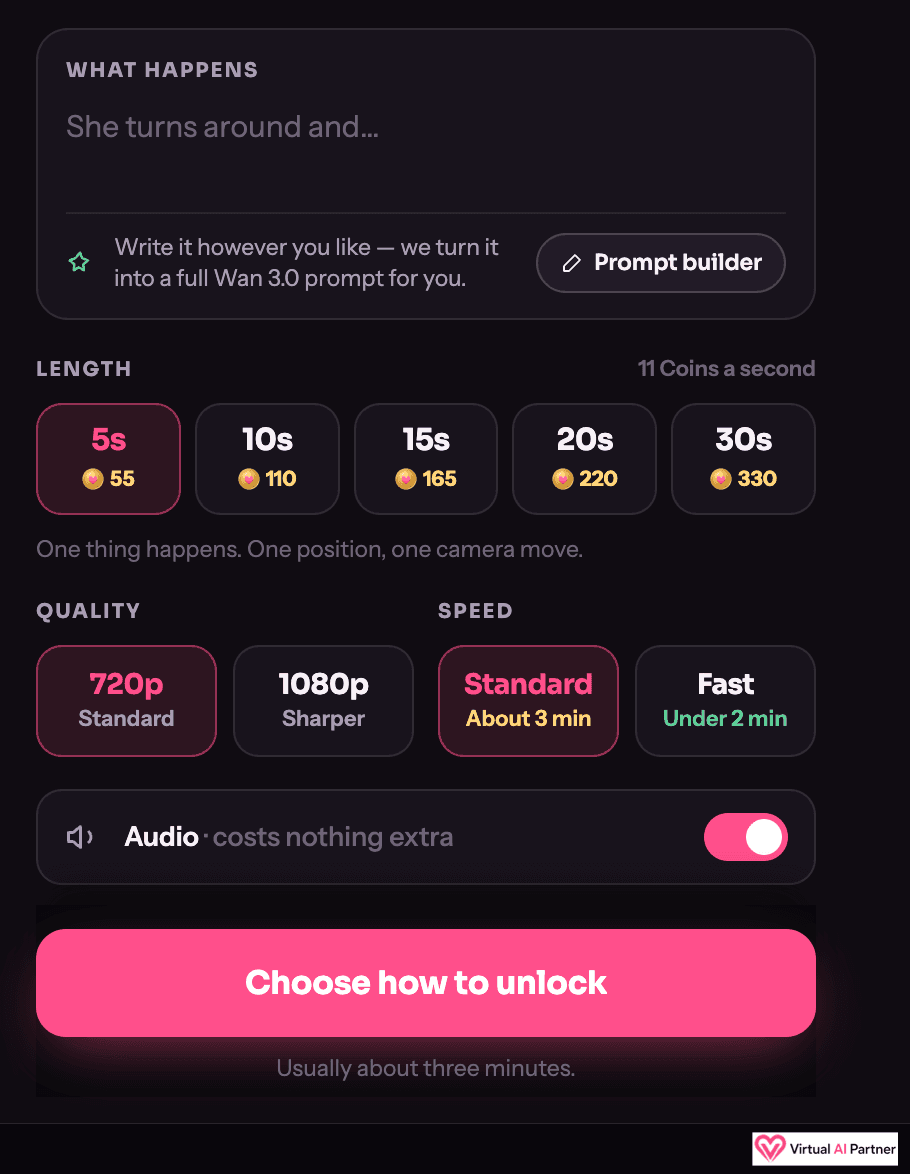
That custom screen shows a choice between 720p and 1080p, a Standard speed advertised at about three minutes, and a Fast option advertised at under two minutes. There’s also an audio switch, shown as costing nothing extra in the displayed configuration. I haven’t verified those generation times or listened to a result.
The “Movies” option also caught my attention. I noted a 44-second format while exploring; the public page describes six-scene movies, without letting me confirm a universal length. I’m taking away the possibility of longer formats, without promising that every movie lasts 44 seconds.
What about creating with two characters?
I also noticed an option involving two people, and that was one of the ideas I found most intriguing. Having two fictional adult characters interact in one creation sounds like it could open up some pretty wild possibilities. I haven’t tested it, though, and my screenshots don’t document its result or price.
Personally, I’d stick to fictional adult characters. If a real person is recognizable, having their photo doesn’t mean having permission to transform it: the service requires explicit consent. Permission to create something also doesn’t automatically mean permission to share it.
An AI girlfriend? I mainly see a visual creation studio
This is where I put my enthusiasm in context. I find the idea really interesting in the AI character space, but I haven’t tested ongoing conversations, an evolving personality, or memories kept over several days.
The text fields in my screenshots describe an image or an action. They don’t demonstrate a relationship chat. Audio advertised in a video setting doesn’t establish that voice calls are available either. For me, the appeal of this discovery is visual creation.
Pricing: Coins, with a system I find easy to understand
I like the idea of Coins. I buy a balance, and each creation uses the amount displayed. I prefer that to untangling five subscriptions and their options. Understanding the system doesn’t mean every creation costs the same amount, though.
| Pack shown on October 15, 2026 | Price in USD |
|---|---|
| 65 Coins | $4.99 |
| 150 Coins | $9.99 |
| 330 Coins | $19.99 |
| 730 Coins | $39.99 |
| 1,510 Coins | $74.99 |
| 3,310 Coins | $149.99 |
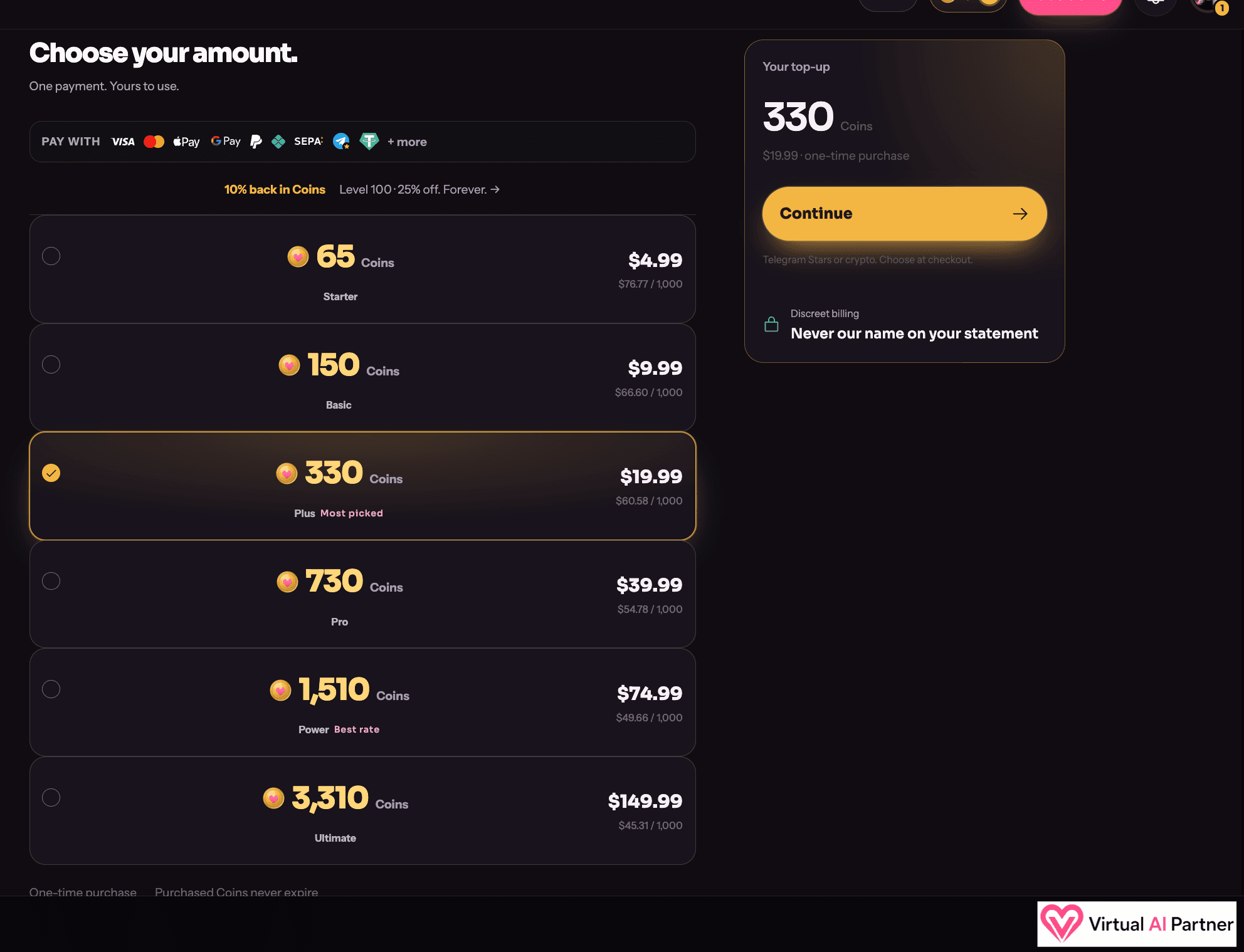
My screenshot and the public page present these as one-time purchases with no automatic renewal, with purchased Coins that don’t expire. These are the prices shown in dollars; I’m not presenting them as euro prices or a guaranteed final total in every country.
The cost per creation matters more than the pack price
| Feature shown in my screenshots | Displayed cost |
|---|---|
| Image after the free trial | 12 Coins |
| Edit option in the generator menu | 7 Coins |
| Some preset 5-second clips | 21 Coins |
| Some preset 7-second clips | 24 Coins |
| Custom 5-second video, displayed configuration | 55 Coins |
| Custom 30-second video, displayed configuration | 330 Coins |
A custom 30-second video can therefore use the whole 330-Coin pack in the configuration shown. That’s what I’d check before paying. Preset and custom formats have different prices, and I wouldn’t assume that changing quality or speed leaves the cost unchanged.
Free trials, rewards, and refunds: the limits I noticed
My free trial let me see an actual result. After that image, the screen said my trial had been used and offered Coin packs. I didn’t have to buy anything to generate the image shown in this review.
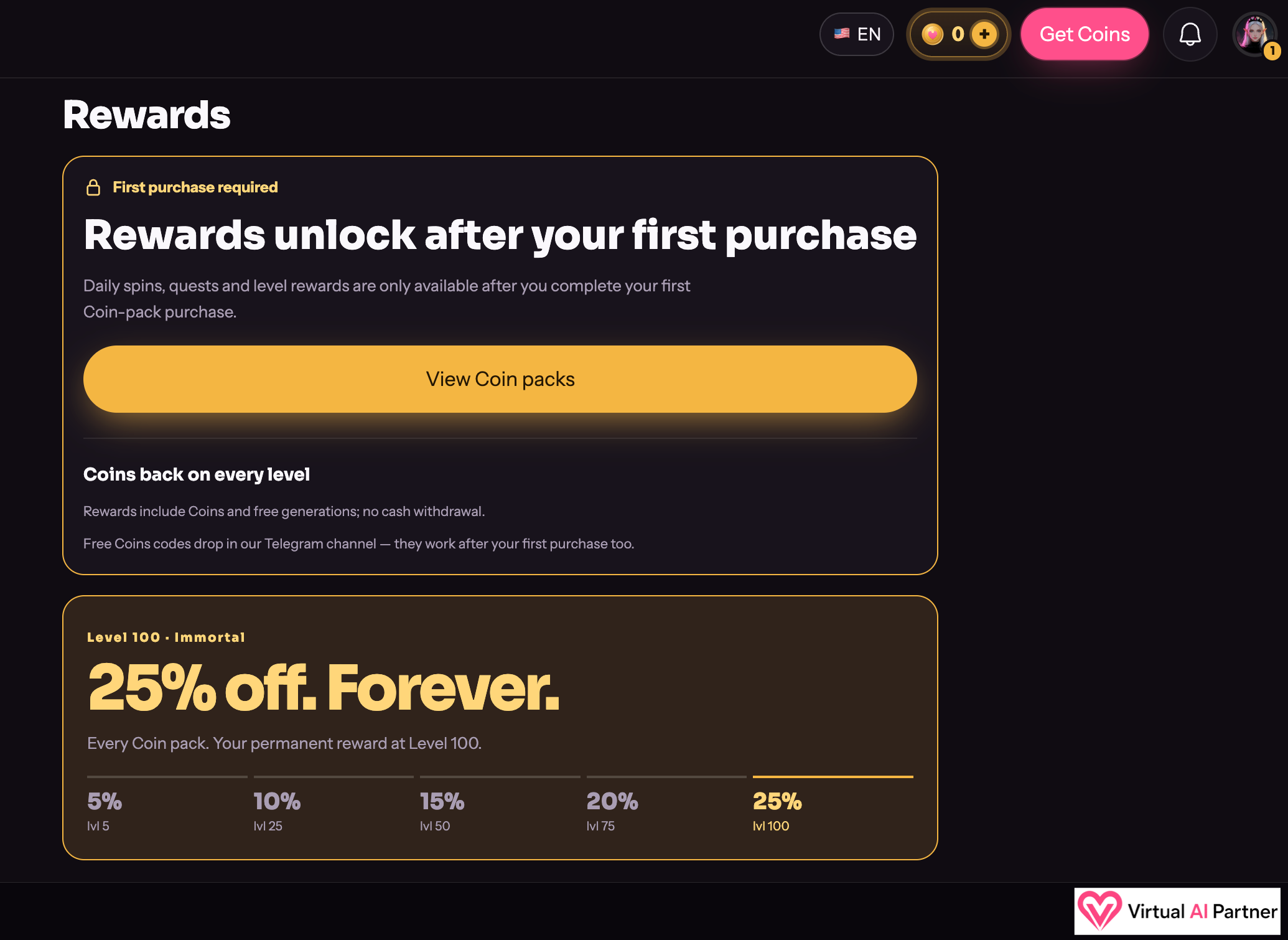
The Rewards screen in my screenshot says rewards unlock after a first purchase. Daily spins, quests, and level rewards aren’t an unconditional pool of free credits. The advertised 25% discount at level 100 is a reward to reach, rather than the starting price.
For refunds, the terms I checked describe a request within 24 hours, refusal after more than 20 tokens have been used, and an exclusion for cryptocurrency purchases. But those same terms also describe older access plans and a one-credit-per-photo conversion that doesn’t match the current screens. I’d ask support to confirm before buying if refunds are a deciding factor. I’m not presenting these rules as a guarantee or as overriding any applicable rights.
Privacy: the 12-hour promise needs a clearer explanation
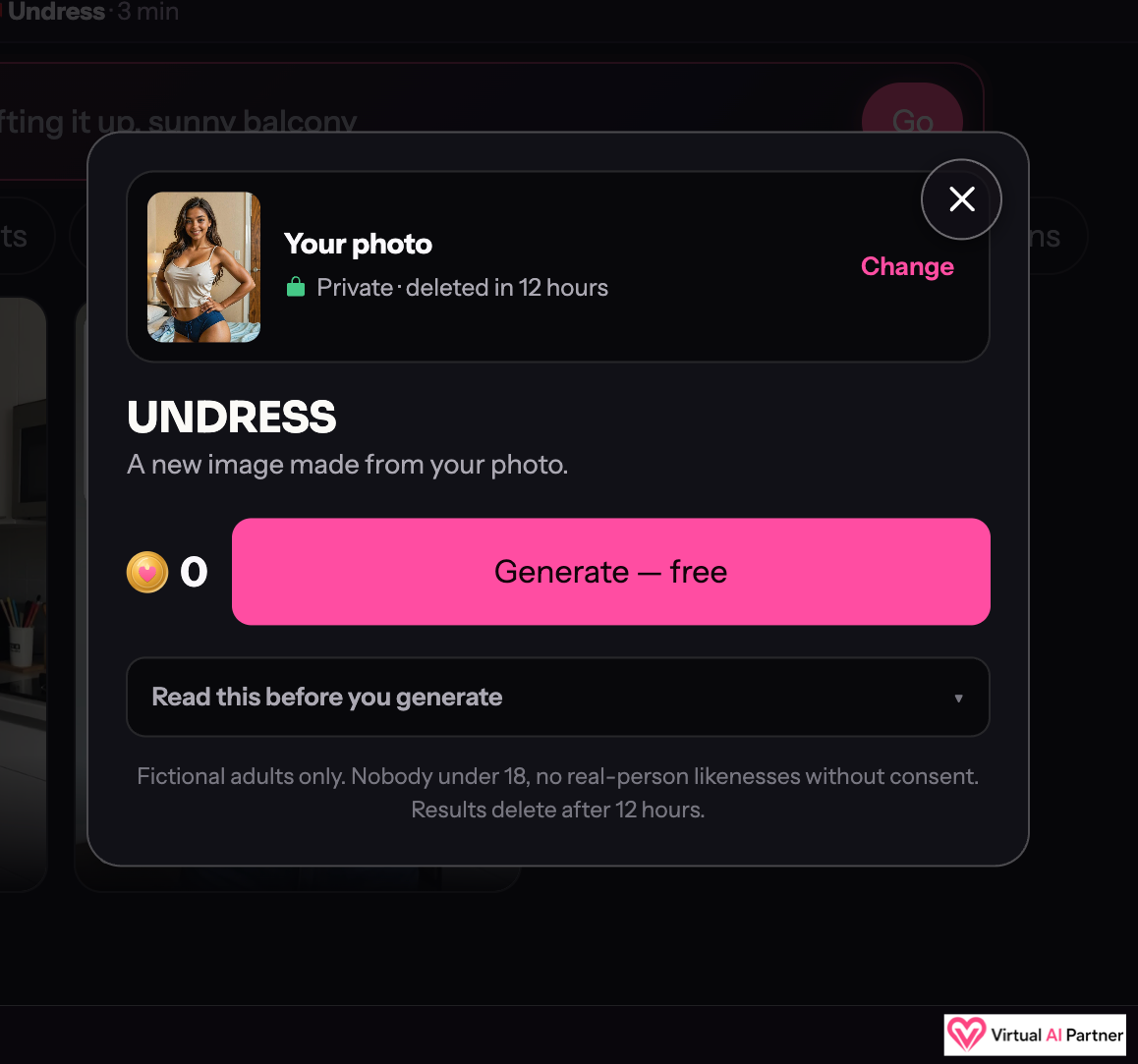
The interface says the photo is private and deleted after 12 hours. The workflow description adds an exception for results I choose to keep. That’s a service promise; I haven’t waited to verify deletion or audited its servers.
The privacy policy, dated July 27, 2023, leaves me more cautious. It says images aren’t stored, but also describes technical processing with cleanup between one hour and one day, along with account data and service providers. I can’t conclude from those documents that nothing is kept anywhere after exactly 12 hours.
That’s my main concern with the documentation. Before uploading a sensitive image, I’d want a consistent explanation covering originals, saved results, and any technical copies. Using a fictional character felt like the best choice for my test.
Content removal and complaints: advertised procedures I haven’t tested
I checked the official safety, removal, and complaints pages. They describe reporting creations that depict or resemble a real person and infringe their rights. Reports involving a minor or an intimate image without consent are described as priorities.
The dedicated procedure says it aims for removal within 48 hours for a valid, sufficiently identifiable request, where removal is justified and reasonably achievable. The complaints policy targets acknowledgment within 24 hours. I haven’t measured those response times and wouldn’t present them as absolute guarantees.
Someone affected can gather the creation identifiers, date, and information needed to locate it, then use in-app reporting where available or the support details shown in the application. The safety page also has Australia-specific resources; those aren’t a universal procedure for every country.
My takeaway is that photo rights, adulthood, and consent remain essential. Rules can depend on the country and intended use; these comments aren’t legal advice.
What I liked, and what still holds me back
What I liked
- My free result matched the requested outfit and setting.
- About a minute of waiting in my test.
- A wide range of formats shown around a starting image.
- Costs displayed before generation.
- I find the one-time Coin packs straightforward.
My reservations
- I haven’t tested the videos or two-character creations.
- One attempt doesn’t establish consistent results.
- Custom video can use Coins quickly.
- The privacy documents and terms don’t consistently match the interface.
- My test doesn’t establish a relationship or memory experience.
Alternatives: what I’d compare on VAIP
For image and video creation around AI characters, I’d look at my Promptchan AI review. That feels like a more relevant comparison than choosing only an emotional chat application.
My Xotic AI review is another useful reference, since that’s where my starting character came from. It covers a broader character and chat experience. I wouldn’t consider these tools interchangeable feature for feature.
My verdict: a first attempt that made me want to explore further
Honestly, I really like what I got with my white dress on the beach. The approach feels simple, and the visual possibilities caught my attention. In the AI character space, this is one of those discoveries that makes me want to keep experimenting.
I’m keeping that enthusiasm grounded: it comes from one successful free image. I still need more tests to judge the movies, two-character creations, and consistency. And before sending a real personal photo, I’d want clearer answers about file retention.
GeneratP***.ai FAQ
Is it free?
I generated the image in this review for free. The introductory offer is limited, and the screens separate the different trials. Videos and use beyond the trials cost Coins.
Is it an AI girlfriend with memory?
My test focuses on a visual generator. I haven’t established the presence of relationship chat or ongoing memory.
How long does an image take?
My result took about a minute. That’s one observation, rather than a guaranteed time for every creation.
Is there a subscription that renews?
The current offer presents one-time Coin packs with no automatic renewal. The terms also reference access plans, so I’d always check the order summary before paying.
Are files really deleted after 12 hours?
That’s the time advertised in the interface, with an exception for saved results. I haven’t verified it, and the official documents don’t establish complete deletion by that deadline.
Can I upload someone’s photo?
I only used an AI character. For a recognizable real person, the service requires explicit consent; you also need the necessary rights and must follow applicable rules. I’d stick to fictional adult characters.
Sources and date: my screenshots and test from October 15, 2026; the official presentation, terms, privacy policy, and safety, content removal, non-consensual intimate image removal, and complaints pages, checked that day. I’m identifying those sources here without linking to the service.