

Soulmate.io confused me a little at first. I’d come to try a new AI companion app and was already struggling to find where to create an account. Even the name was a change: .io instead of the usual .ai. Then I started talking to Eva, and things got much more interesting.
A picture of Eva holding a whisky was the turning point. I’d typed “whisky on the rocks,” and there it was in her hand during the roleplay. The picture was following the scene. After that, I opened her settings and found her appearance, backstory and even her daily schedule. Honestly, I hadn’t expected this much to play with.

My Soulmate.io review in 30 seconds
| My favorite part | Images that develop with the roleplay, plus unusually detailed character settings. |
|---|---|
| What I tried | Chat and roleplay with Eva, 28, followed by her profile, appearance, backstory and daily schedule. |
| Conversation | Quick responses during my session, enjoyable flirting and suggested replies when I wanted an easy way to continue. |
| Free access | I started with about 100 credits, with one credit used per message: enough to meet Eva and try her roleplay. |
| Monthly price | From $9.99 USD per month. I break down all four plans and their G-points below. |
| My reservation | The navigation needs some getting used to, especially saving Eva and finding her customization options again. |
Disclosure: I’m Roméo, the founder of Virtual AI Partner. This is my November 23, 2026 test, illustrated with my own screenshots. Pricing and policy information comes from the official pages I checked that day. This review contains affiliate links, and I may earn a commission if you use them.
Getting started: a character or a scene?
The home page gives me two starting points: Roleplays and Characters. Characters are the AI personalities; roleplays put me into a prepared situation. I like having that choice. I can pick someone who catches my interest or start with a scene I want to try.
During my test, the catalog listed 197 characters, with filters for gender and different moods or traits, including romantic, flirty, slow burn and caring. There was already plenty to explore.
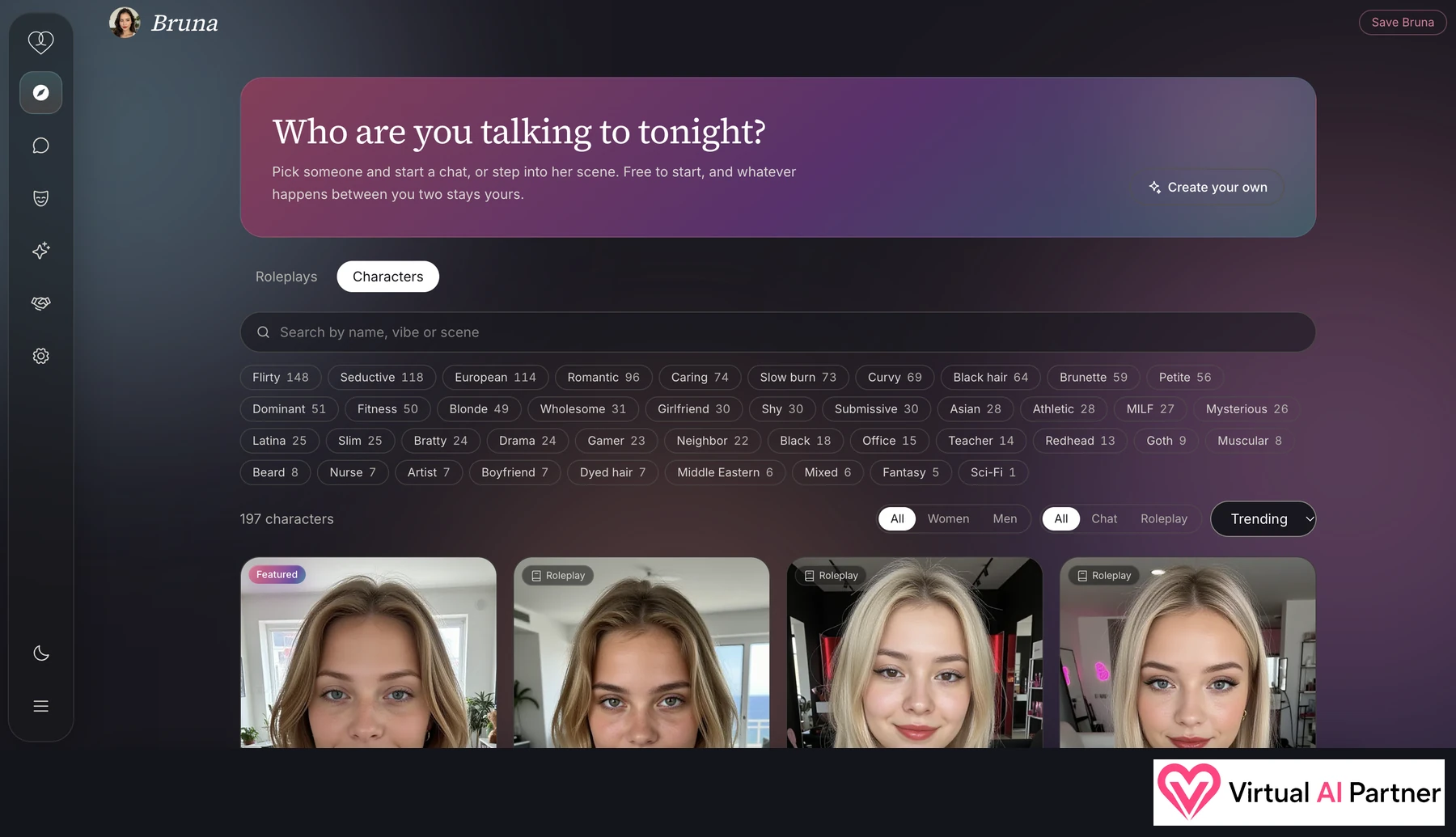
I went with Eva, a 28-year-old freelance illustrator. Her profile let me start a regular chat or choose a roleplay. One of the settings was a hotel bar, so I got to meet her in conversation before trying that scene with her.
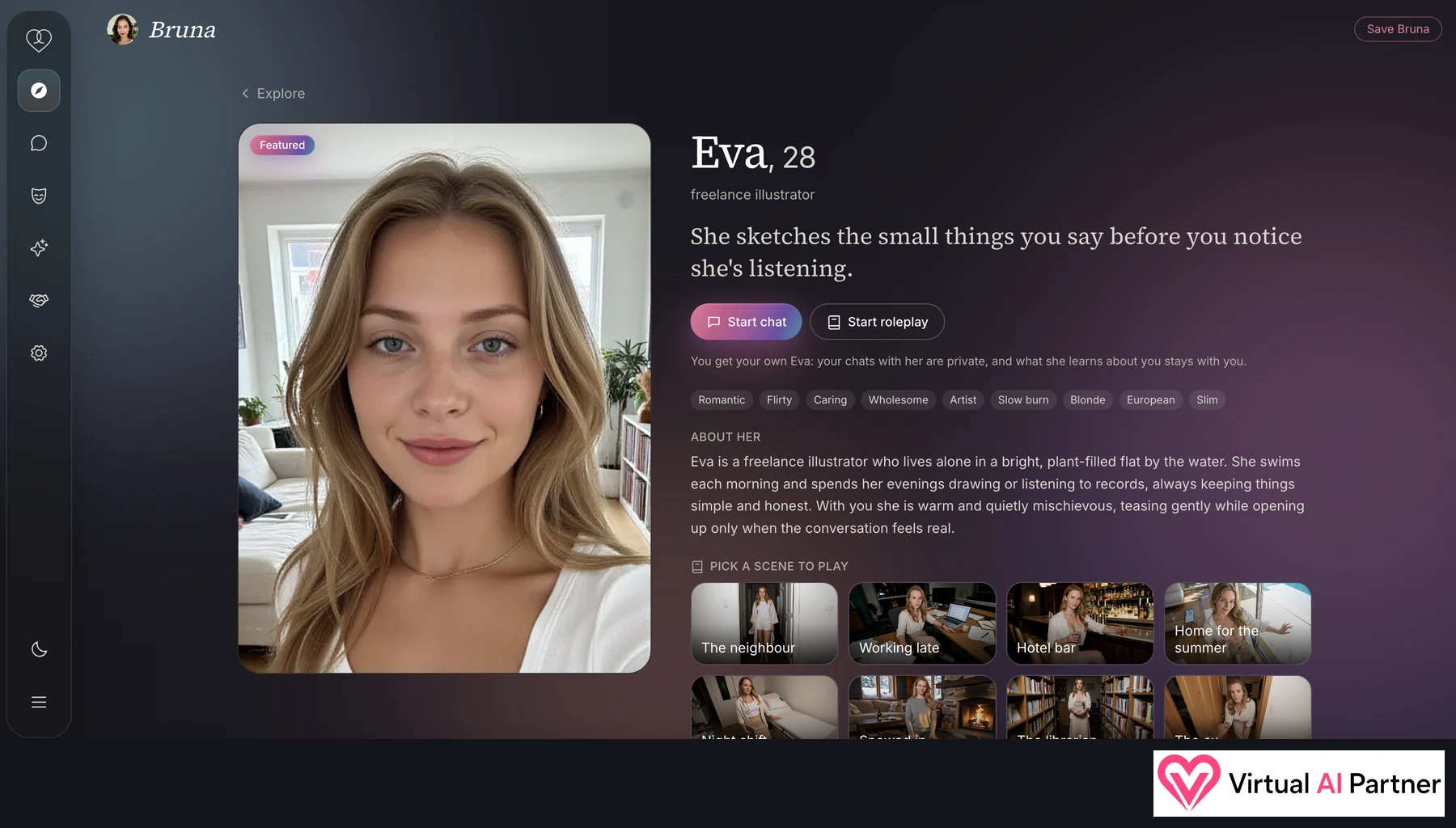
Creating an account and saving Eva took me a moment
At first, I couldn’t find where to register. I even thought account creation wasn’t working. It turned out I could already talk to Eva. Clicking Save Eva brought up the sign-up prompt so I could keep my character. Once I understood that, I registered and saved her successfully.
Finding my way back to her settings was another little puzzle. I had to return to the chat, open Eva, then click her name at the top. That was it. Easy once I knew, but I spent a while looking for the right place. I’d really like those controls to be easier to spot.
Chatting with Eva: quick replies and easy flirting
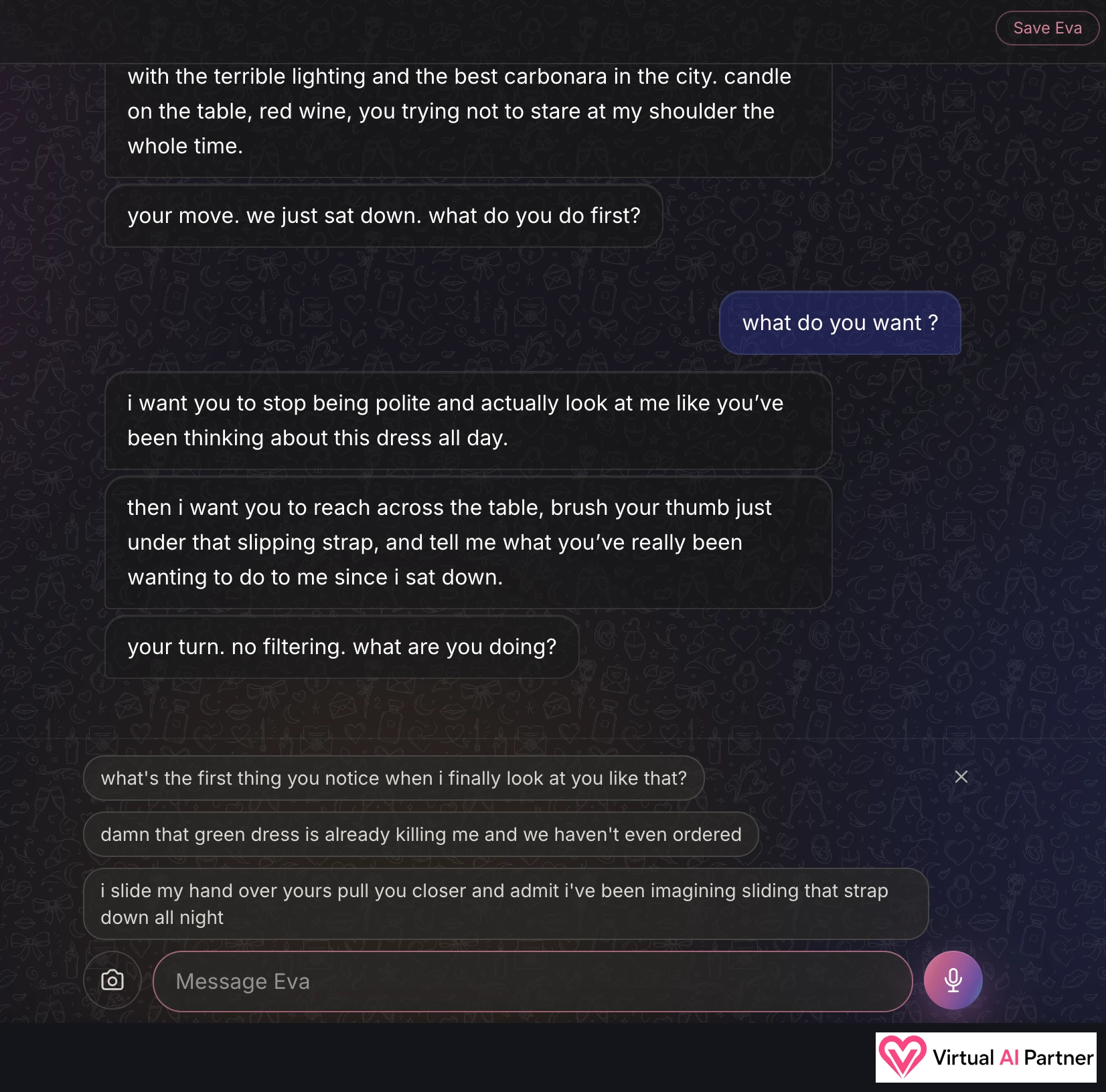
The conversation itself was much easier to enjoy. Eva replied quickly during my test, the exchanges were direct, and I didn’t need complicated prompts to get things moving. She started flirting quite openly. Honestly, I liked it.
I also liked the suggested replies. When I just want to meet a character and go along with the conversation, I can choose a line instead of thinking up every message. It’s a small convenience, but it helps me get into the exchange. And I can always write my own reply when I have something more direct in mind.
Visual roleplay was where Soulmate.io clicked for me
How my whisky ended up in Eva’s hand
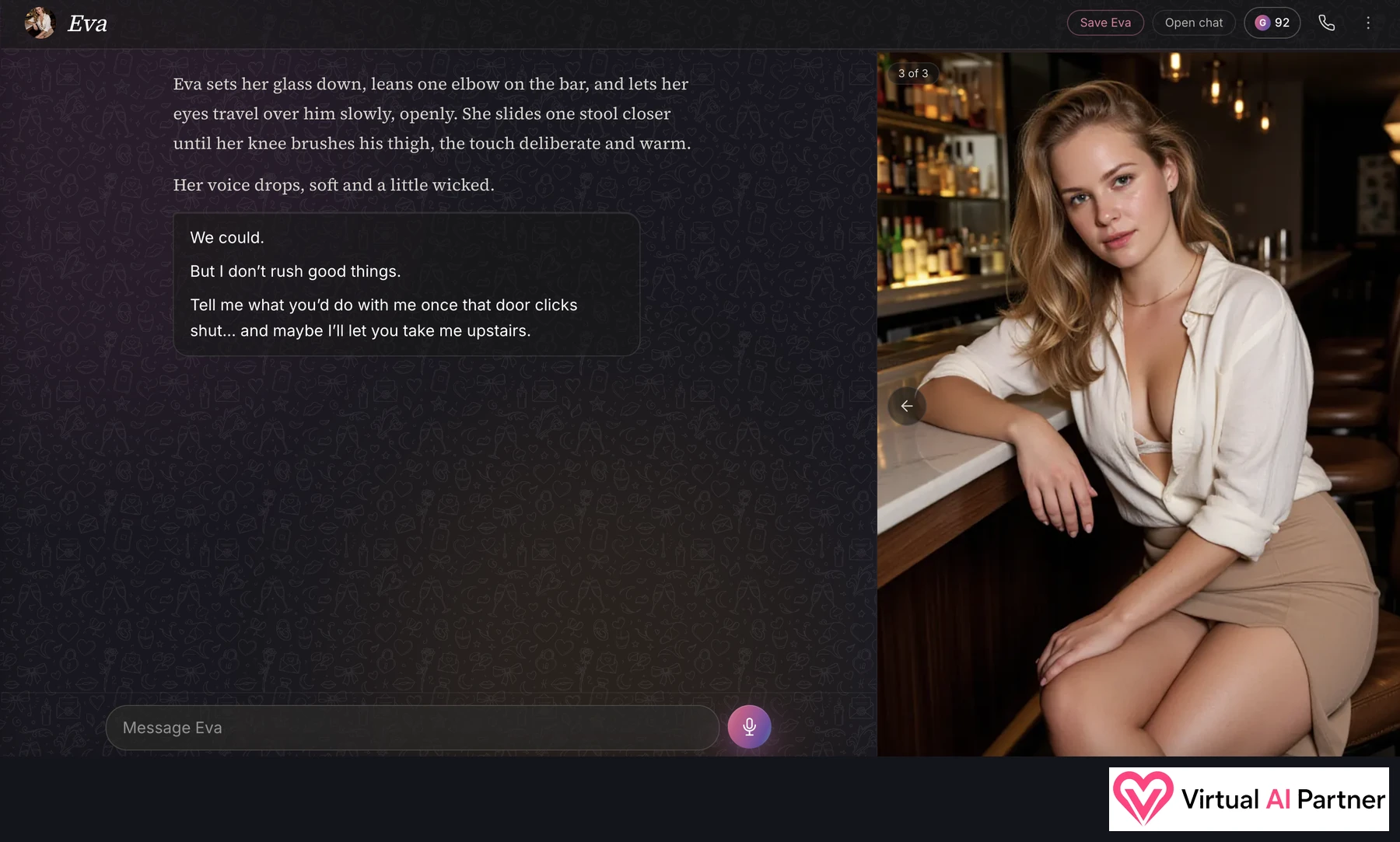
Next, I tried the hotel bar roleplay. There was the text of the scene beside a large picture of Eva. At first, I wasn’t quite sure what that picture was adding.
Then I typed “whisky on the rocks.” I thought I was ordering my own drink. Except Eva ended up holding it, including in the picture! I’d probably answered for her without realizing it. That small mix-up helped me see what was happening: the picture changed with the story.
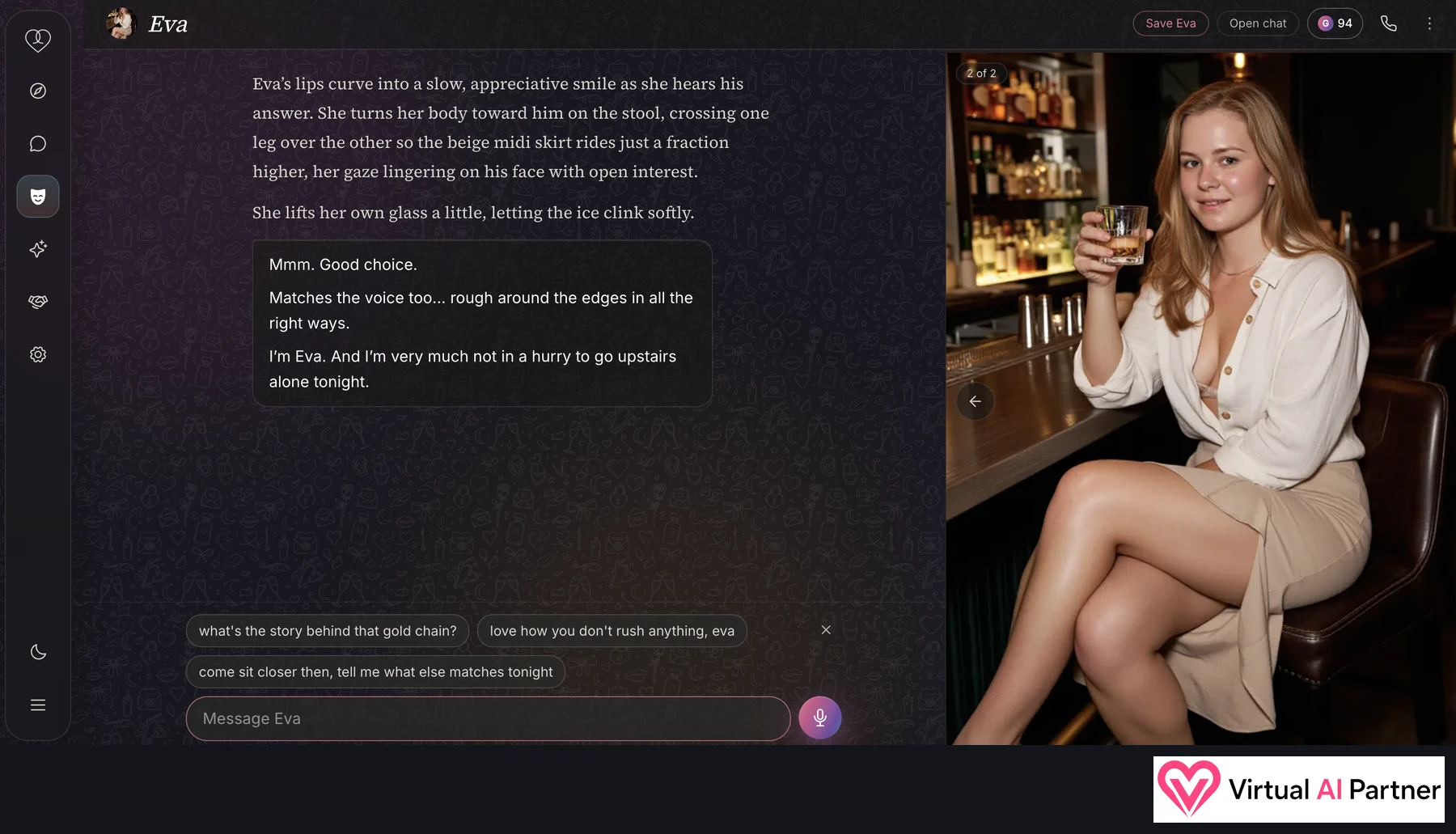
That was the moment I loved. The drink I’d just mentioned was now in the image. Suddenly, the roleplay felt much more immersive to me. I finally understood what made Soulmate interesting.
Eva flirted, then set her own pace
Eva then said she wasn’t in a hurry to go upstairs alone that evening. I took the invitation and suggested she could come up with me. Her answer made me smile: “I don’t rush good things.”
I liked that reaction. She’d started the flirting, then set her own pace when I became more direct. Meanwhile, her image changed again: after raising the drink, she was leaning on the bar. The conversation and the picture were developing together, and I really enjoyed it.
Customization goes much further than her face
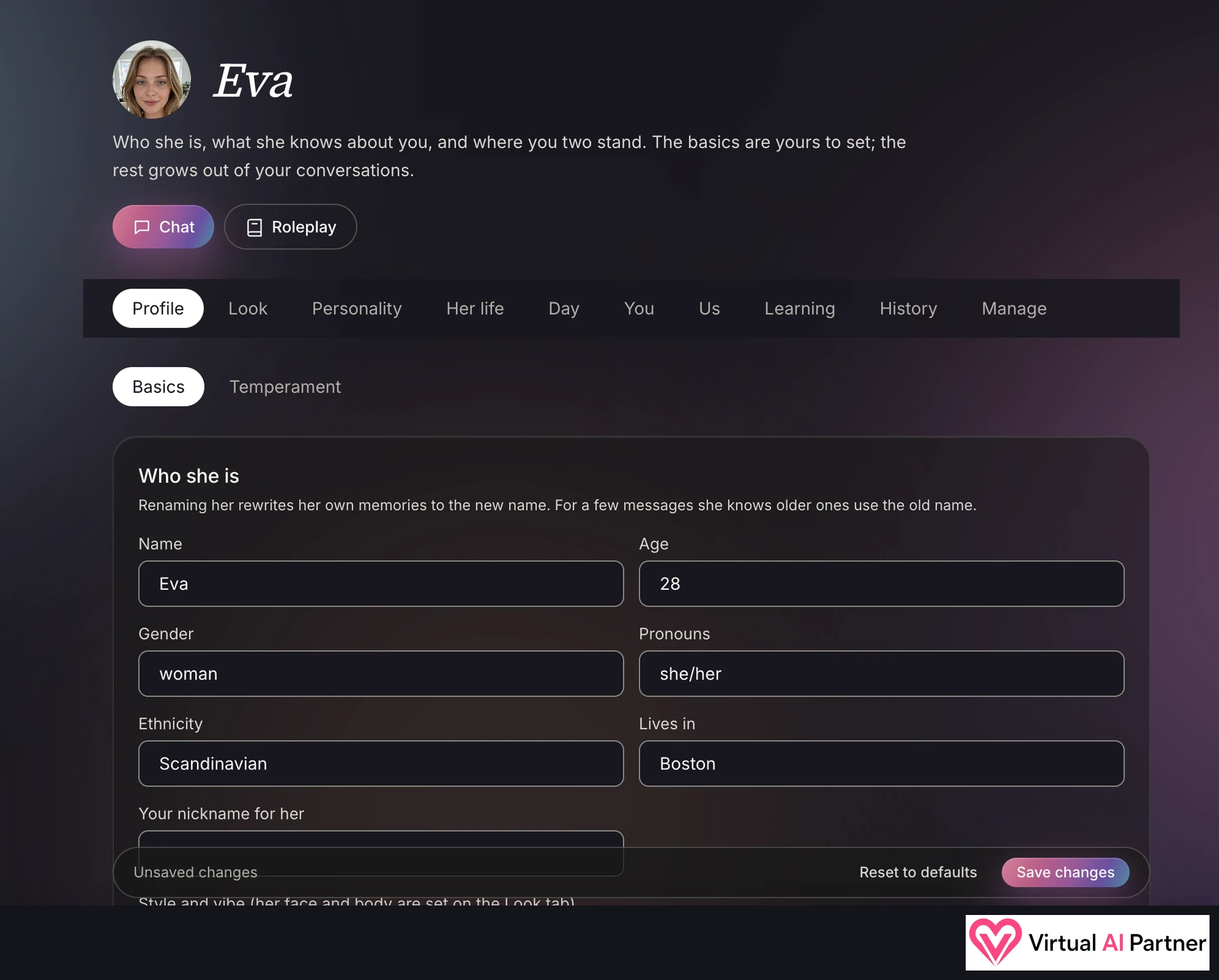
After the roleplay, I wanted to see how much I could change about Eva. Clicking her name revealed Profile, Look, Personality, Her life, Day, You, Us, Learning, History and Manage. There was much more here than I’d expected.
Profile and appearance
The profile covered her name, age, gender, pronouns, ethnicity and where she lived. I could define who my Eva was. And that was only the first tab.
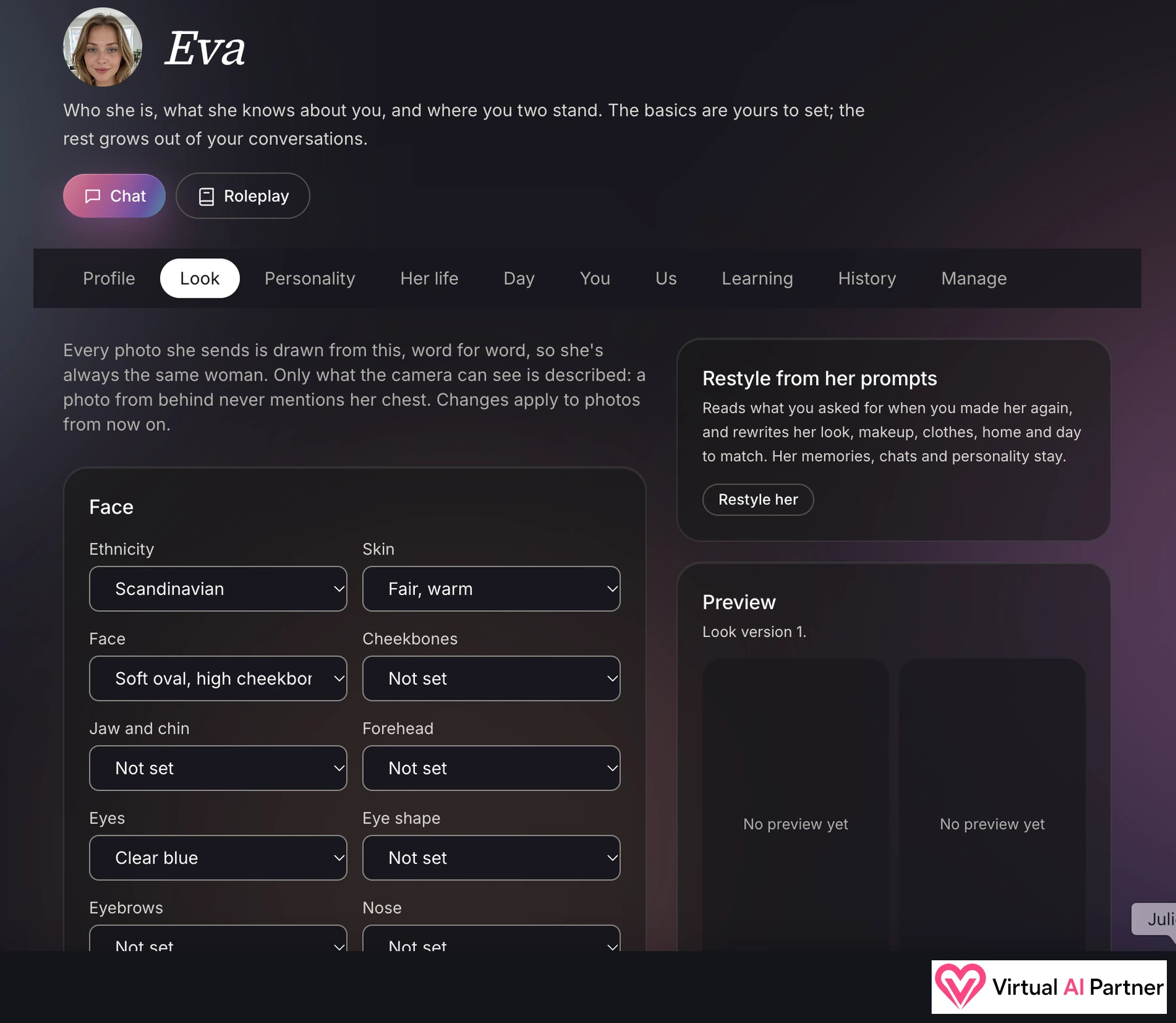
In Look, I could get into facial features and skin details. The interface explains that the description feeds into future photos. It also presents Restyle her as a way to rework her appearance from the creation prompts while keeping her chats and personality.
Her history and personality
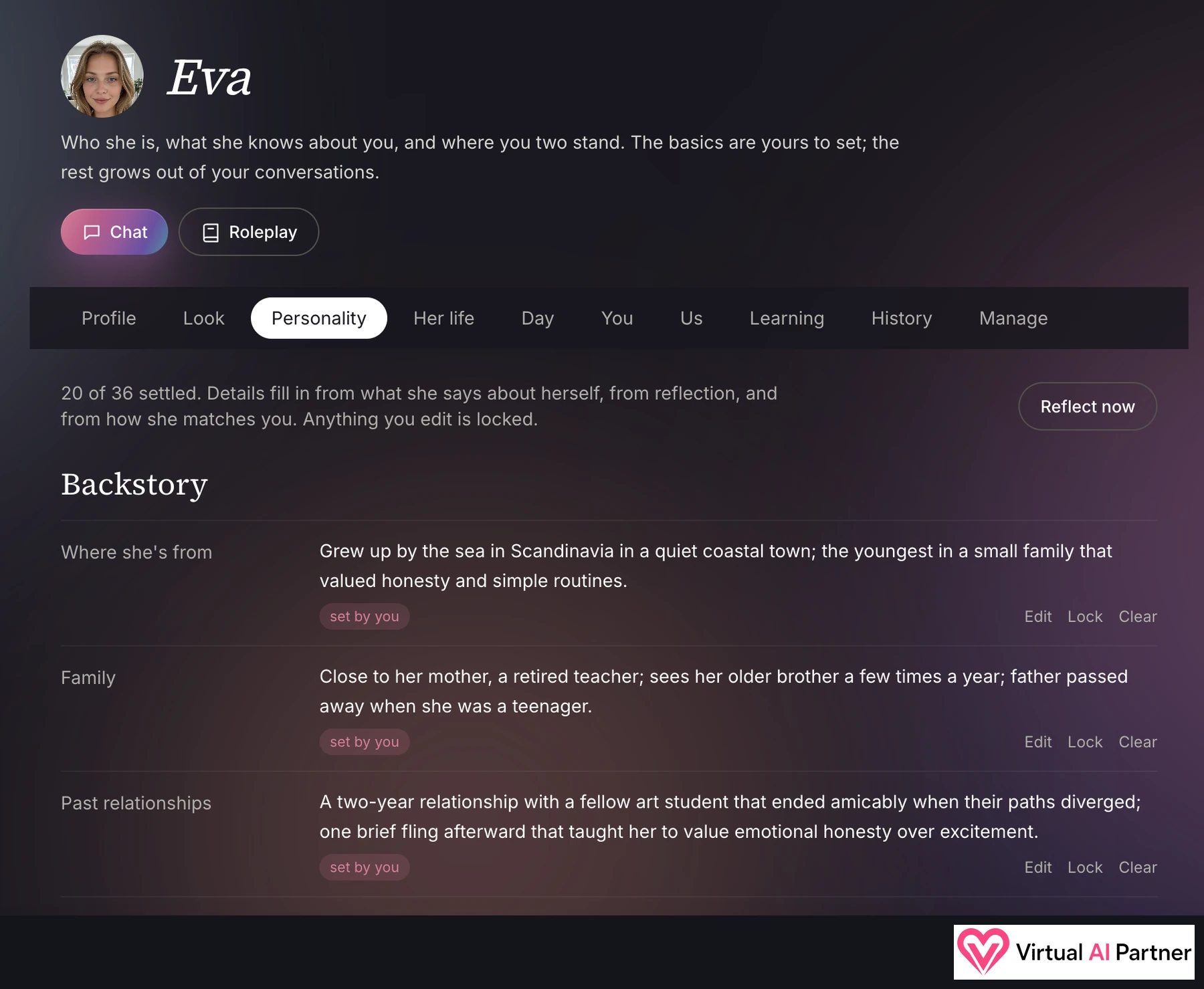
In Personality, I found her background, family and past relationships. Some details were marked set by you, with controls to edit or lock them. The interface also says details can fill in as the conversations develop.
This was the depth that impressed me. I can give Eva a history, some context and a life before the conversation starts. I really hadn’t expected so much to configure when I opened her profile.
Her daily schedule was my second big discovery
Then I opened Day and found a whole routine: waking up, getting ready, a morning swim, a shower… Each time slot had a location, an outfit, a mood, an energy level and an availability status. I could edit the activities, too.
My screenshot showed waking up as free to chat, getting ready as half-busy and the swim as busy. The official feature overview also describes a companion with a routine and free moments for conversation.
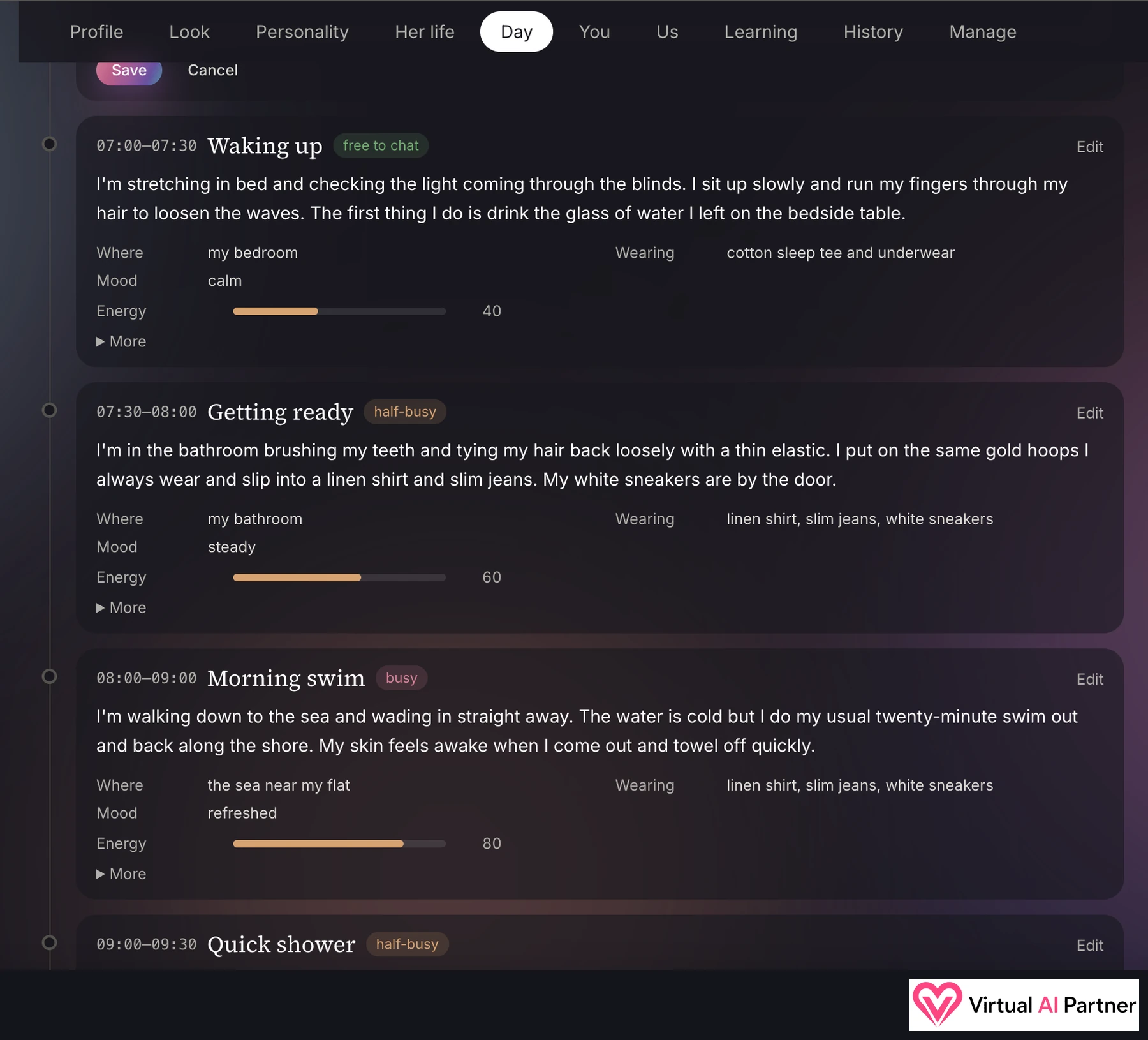
I love this idea. I immediately imagined Eva out swimming, busy with something else, then free to talk a little later. Or a photo that fitted what she was doing at that moment. To me, it opens up plenty of possibilities: there’s a daily life around which the conversation can develop.
I explored the schedule and its labels; their actual effect on replies still needs testing. A shower-related photo, for example, was something I imagined while looking through the settings, rather than a photo I received during this test.
Photos, video and voice: what I can say
I really liked the pictures. What stayed with me most, though, was how they fitted into the roleplay. The whisky, then Eva’s change of pose: those details gave the scene a sense of visual continuity. For me, that’s one of the strongest reasons to try Soulmate.
For voice and video, the site advertises voice messages with Studio+, real-time voice calls with Studio Pro and Max, and live video calls with Studio Max. My detailed experience here covers chat, illustrated roleplay and customization; the calls still need a closer look.
NSFW: clear flirting, with different claims to separate
With Eva, the conversation quickly turned flirty. I enjoyed being direct with her, then seeing her take a little control of the pace in the bar scene. Her making me wait was part of what made the exchange fun.
For NSFW photos, the subscription page advertises access in Studio Pass. I experienced the flirting in this test; it doesn’t demonstrate the full range of explicit generation. The service is presented as being for adults aged 18 and over.
Soulmate.io pricing and G-points in November 2026
One thing amused me: it took a while to find where to pay. I was already exploring Eva and her settings before I understood where the subscriptions were. During my visit, the site wasn’t constantly pushing me to get my card out. I appreciated that.
I started with about 100 free credits
I started with about 100 credits, with one credit used per message. My screenshots show the counter at 94 and then 92 G-points. That gave me room to chat, try the roleplay and get a feel for the app before thinking about paying. Those starting credits shouldn’t be confused with a daily refill.
The four advertised plans
These are the prices shown on the official page on November 23, 2026, in US dollars. The annual column is the amount for a year, rather than a bill charged monthly.
| Plan | Monthly | Annual | Advertised features |
|---|---|---|---|
| Studio Pass | $9.99 USD/month | $100 USD/year | Up to 3 characters, unlimited text without G-points per message, 800 G-points per month with rollover advertised, NSFW photos and no waiting between messages. |
| Studio+ | $19.99 USD/month | $200 USD/year | Up to 10 characters, unlimited text, 1,800 G-points per month, voice messages, priority generation and unlimited saved chats. |
| Studio Pro | $39.99 USD/month | $400 USD/year | Unlimited characters and text, 4,000 G-points per month, real-time voice calls and requests for specific scenes and photos. |
| Studio Max | $79.99 USD/month | $800 USD/year | Pro features, 10,000 G-points per month, premium roleplay settings and end-to-end encryption for messages and media advertised as exclusive to Max. Video calls are presented on the feature page. |
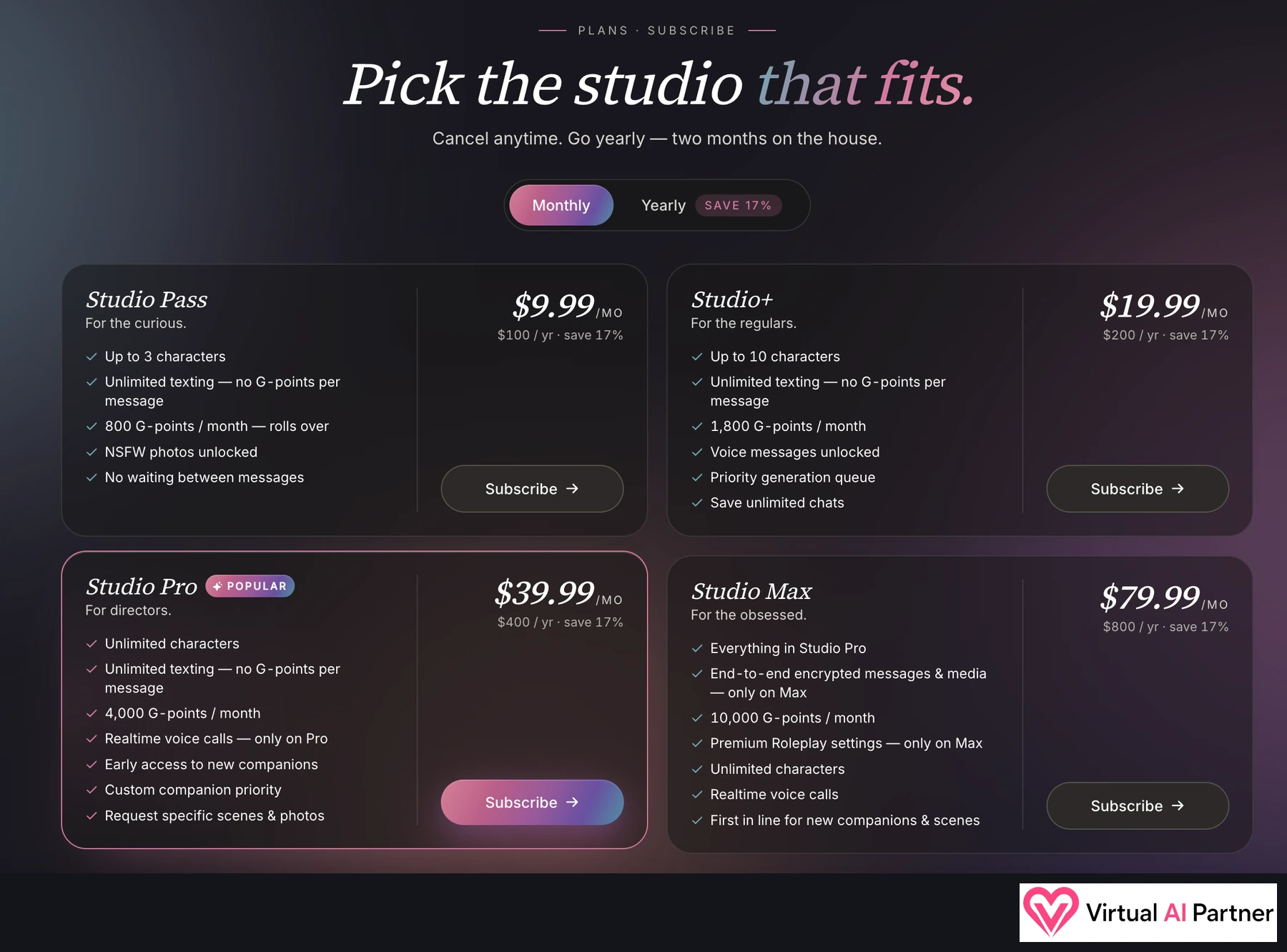
I separate the unlimited text advertised in the paid plans from their monthly G-points. A subscription doesn’t mean every type of media is unlimited. The bottom of the page also gives a general equivalence of one G-point per message or second of voice, despite the unlimited text listed in the paid cards. I would check the counter and the cost shown for the particular feature I wanted to use.
The advertised 17% annual saving is a comparison with monthly billing. I’d check the checkout total, any taxes and the final terms before buying, rather than assuming these prices will stay the same.
Renewal, cancellation and refunds
The Soulmate terms describe automatic renewal. They say it can be switched off in the account settings, with paid access continuing until the billing period ends and unused tokens then expiring.
The refund clause mentions a 14-day withdrawal period for EU and UK residents and a 24-hour window for other users. It also lists restrictions involving more than 20 tokens used and card payments. I would clarify how that wording applies with support before buying; I wouldn’t treat it as an unconditional refund guarantee. This summary is not legal advice.
Privacy: I wouldn’t read “private” as an absolute guarantee
According to its privacy notice, MGN AI processes messages and media with its own models to provide the service, without sending conversations to third-party AI providers or selling personal data. Those are the publisher’s stated commitments.
The terms also grant a broad license over submitted content, mentioning service improvement, model training and marketing uses within the privacy notice’s framework. I think that matters for an app where conversations can become intimate.
On the Studio Max card, Soulmate advertises end-to-end encryption for that plan’s messages and media. I’d pay attention to what the particular subscription covers. Personally, I would avoid sharing identifying information in intimate conversations.
What I liked and what held it back
My positives
- Pictures that develop alongside the roleplay.
- Detailed customization, including a backstory and a daily schedule.
- Quick, enjoyable conversations during my session.
- Suggested replies that make it easy to keep chatting.
- Enough free access to explore before considering a subscription.
My reservations
- Character settings are harder to find than I’d like.
- The account creation and save flow confused me at first.
- Media costs need checking for the specific feature.
- Long-term memory and the actual effect of availability need further testing.
- The content license and privacy promises deserve a careful read.
Alternatives to Soulmate.io
Discovering Soulmate immediately made me think of Nomi AI, which I’ve reviewed here. There’s that idea of a companion I can build a relationship with, but the customization and roleplay images excited me even more here. On those two points, Soulmate really won me over.
If you mainly want to compare scenarios and character creation, I’d also look at my Nectar AI review and my OurDream AI review. They are useful comparisons if roleplay matters to you as much as it does to me.
Soulmate.io FAQ
Is Soulmate.io free?
I started for free with about 100 credits during my November 23, 2026 test. One message used one credit. I haven’t established an automatic daily refill.
Do I need an account before chatting?
I started talking before creating an account. The Save Eva button later prompted me to register so I could save my character.
Do images change during roleplay?
Yes, I observed this in the hotel bar scene with Eva: she held a whisky, then her pose changed as the scene continued. I can’t promise a new image after every message.
How do I customize Eva?
I clicked her name at the top of the chat. That opened tabs for her profile, appearance, personality, life and daily schedule.
Does Eva actually stop replying when she swims?
I saw the busy label on her swimming activity, but I didn’t verify that it actually prevented her from replying at that time.
How much does Soulmate.io cost?
On November 23, 2026, the monthly plans show $9.99 USD for Studio Pass, $19.99 for Studio+, $39.99 for Studio Pro and $79.99 for Studio Max. Annual plans show $100, $200, $400 and $800 USD per year respectively.
Does Soulmate.io offer NSFW and video calls?
I observed adult flirting with Eva. NSFW photos are advertised in Studio Pass, voice messages in Studio+, and voice calls in Pro and Max. The official feature page advertises video calls with Studio Max. My illustrated test doesn’t demonstrate all of those paid features.
My verdict: a real discovery, with room to improve navigation
Honestly, Soulmate.io was a very pleasant surprise. At first, I was looking for account creation and wondering what the roleplay picture was for. Then Eva ended up with my whisky, and it clicked. Her backstory and daily schedule gave me even more to get excited about.
I like having that much freedom to shape a character and bring her into a scene that develops visually. It felt quite different from the approach I associate with Candy or Secrets. I hadn’t expected this depth of customization, and I really enjoyed getting into the roleplay.
Navigation is still my main frustration: I’d like those settings to be easier to find again. But once I knew where to click, there was plenty to explore. My suggestion is to pick a character, try a scene, then click their name. Opening Eva’s profile was how I discovered just how far Soulmate wanted to take this.